Whale
"Document, train, and scale your team's knowledge."
Screenshots
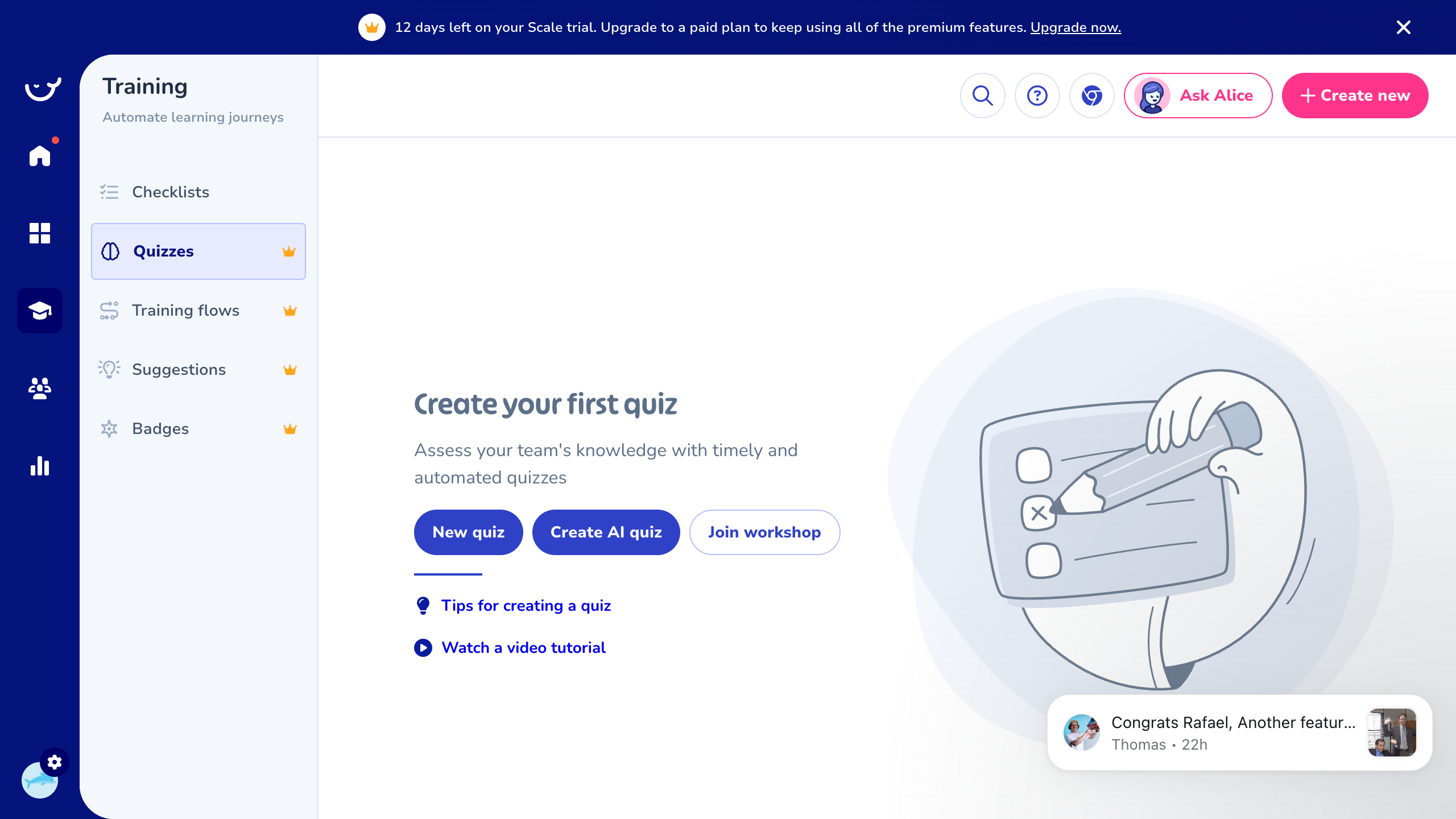
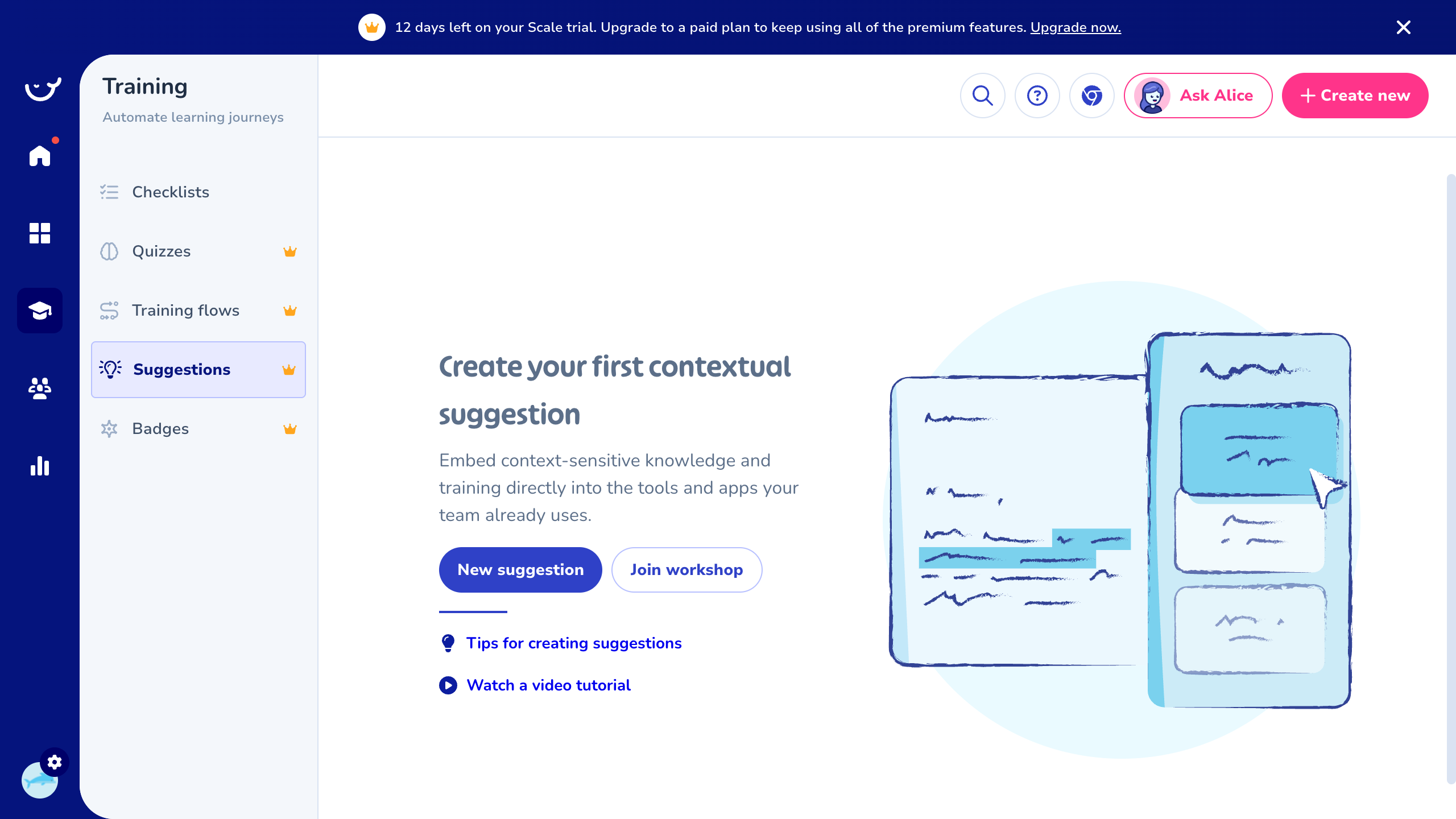
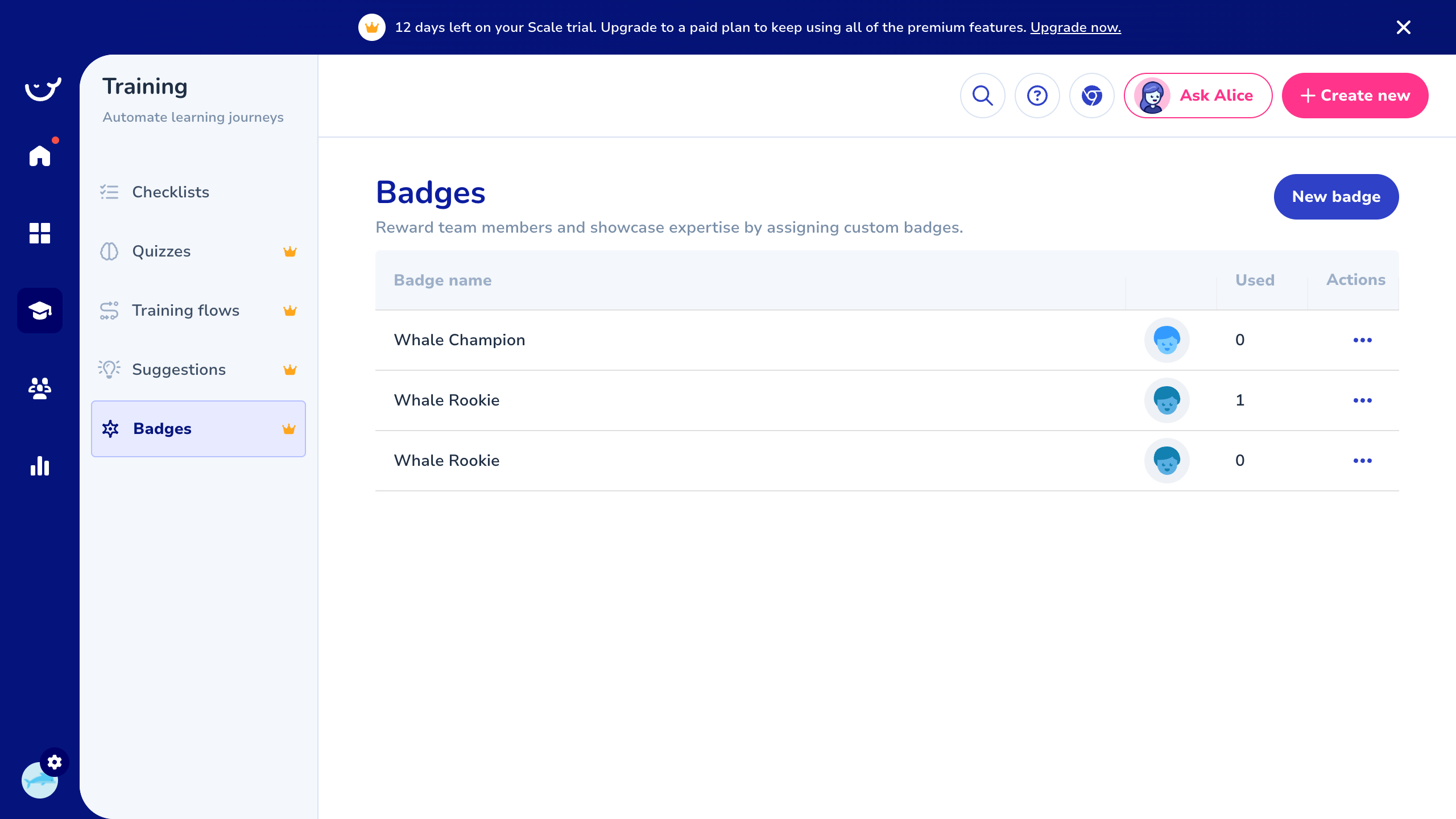
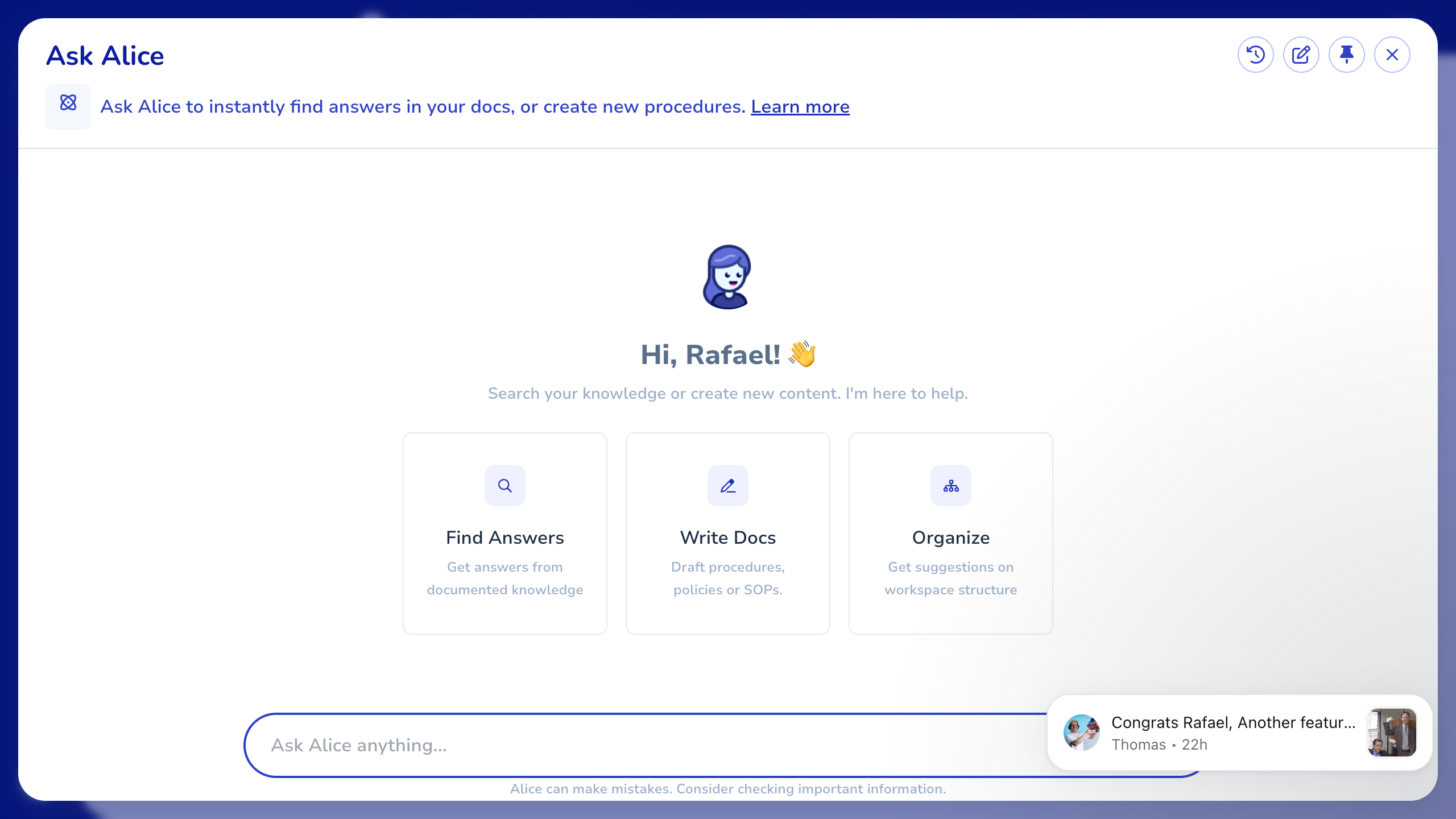
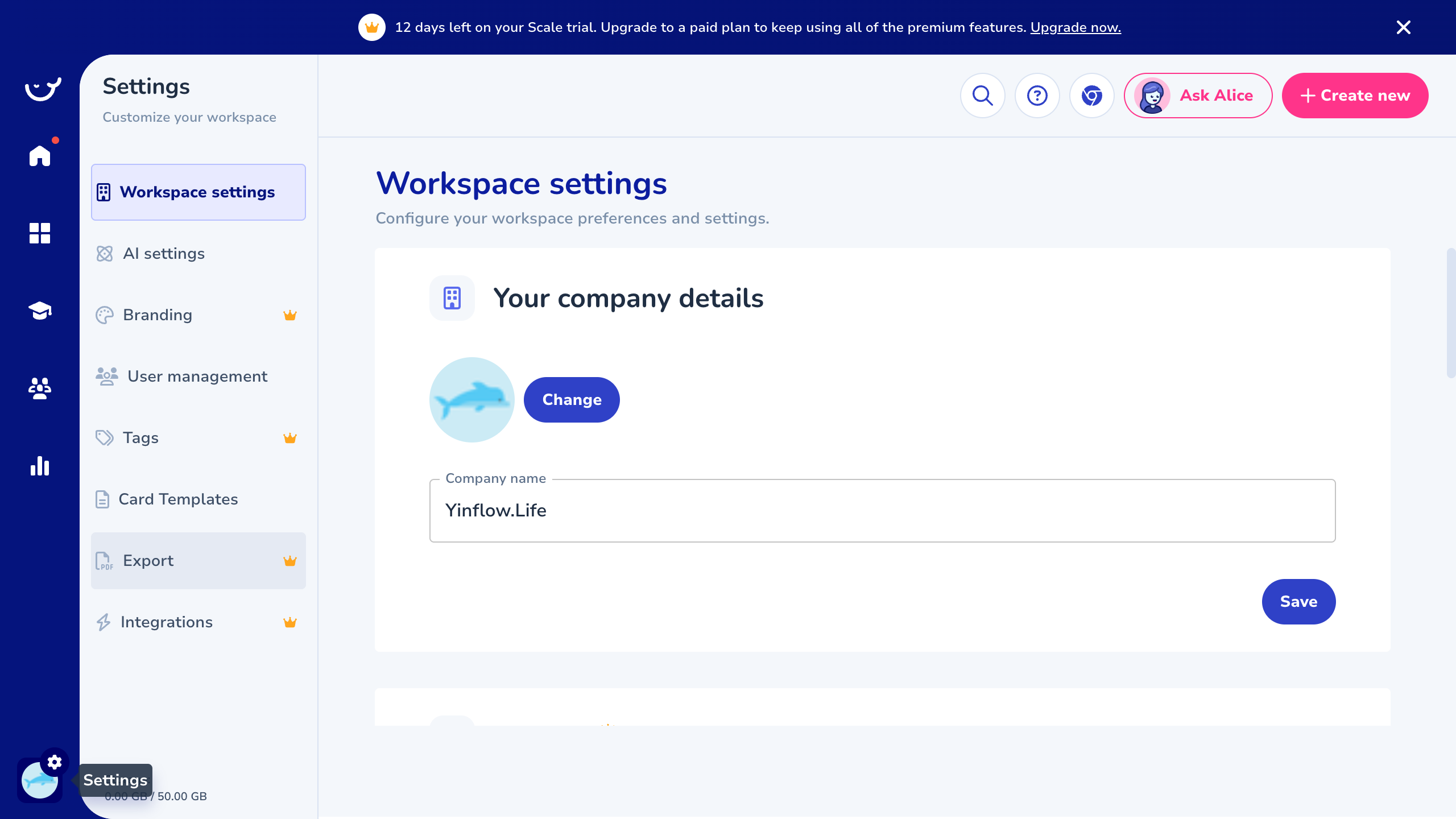
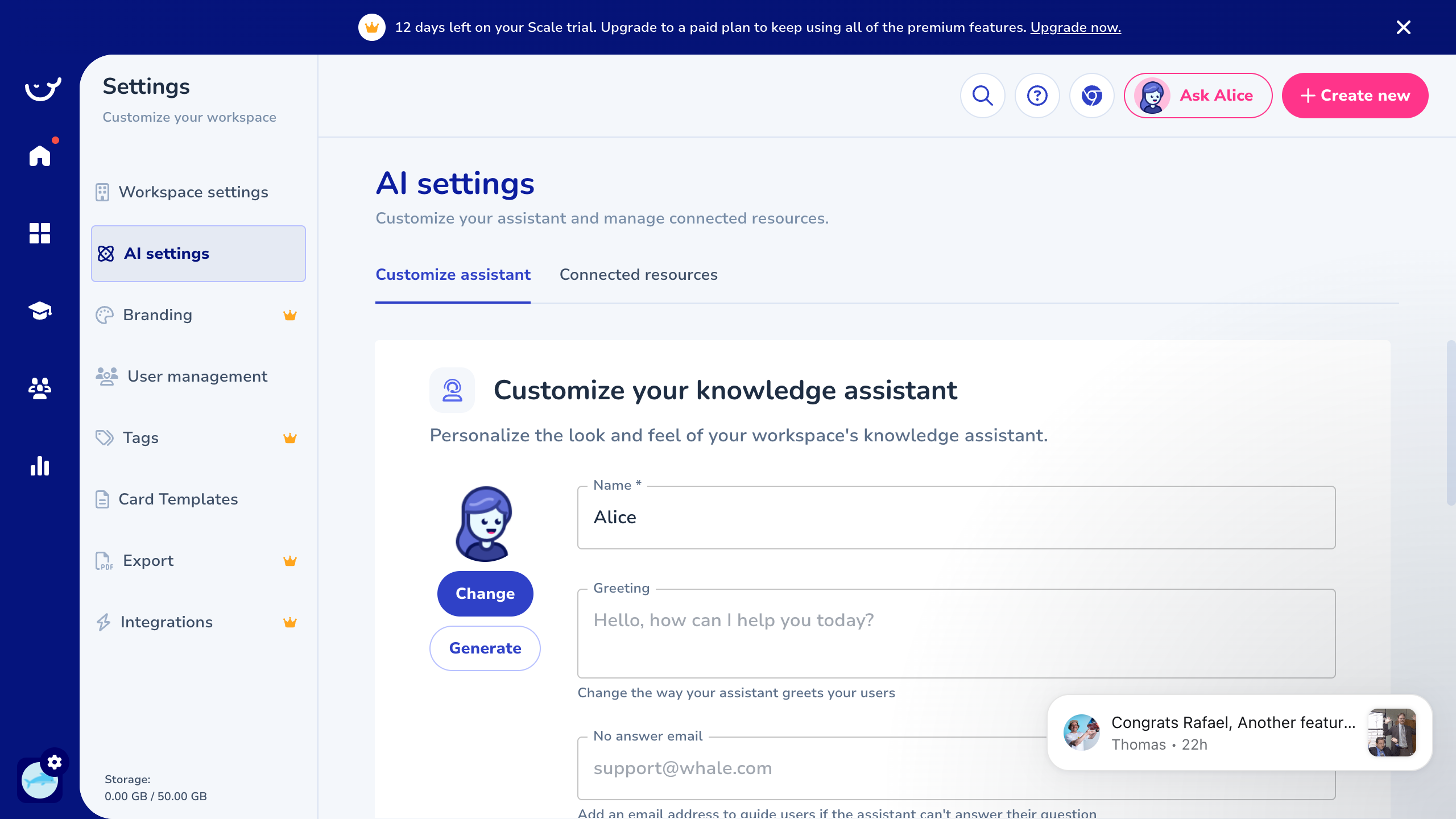
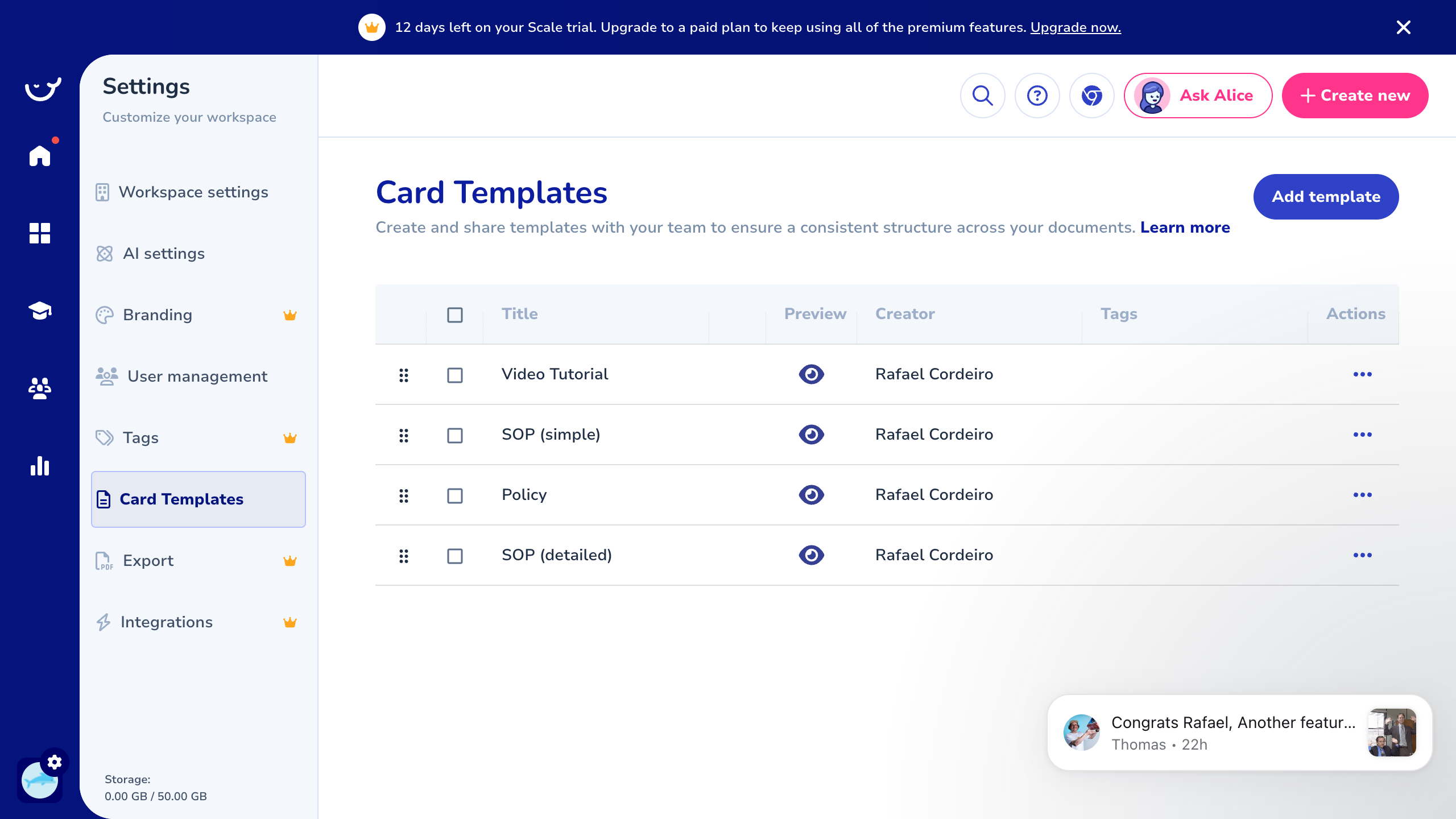
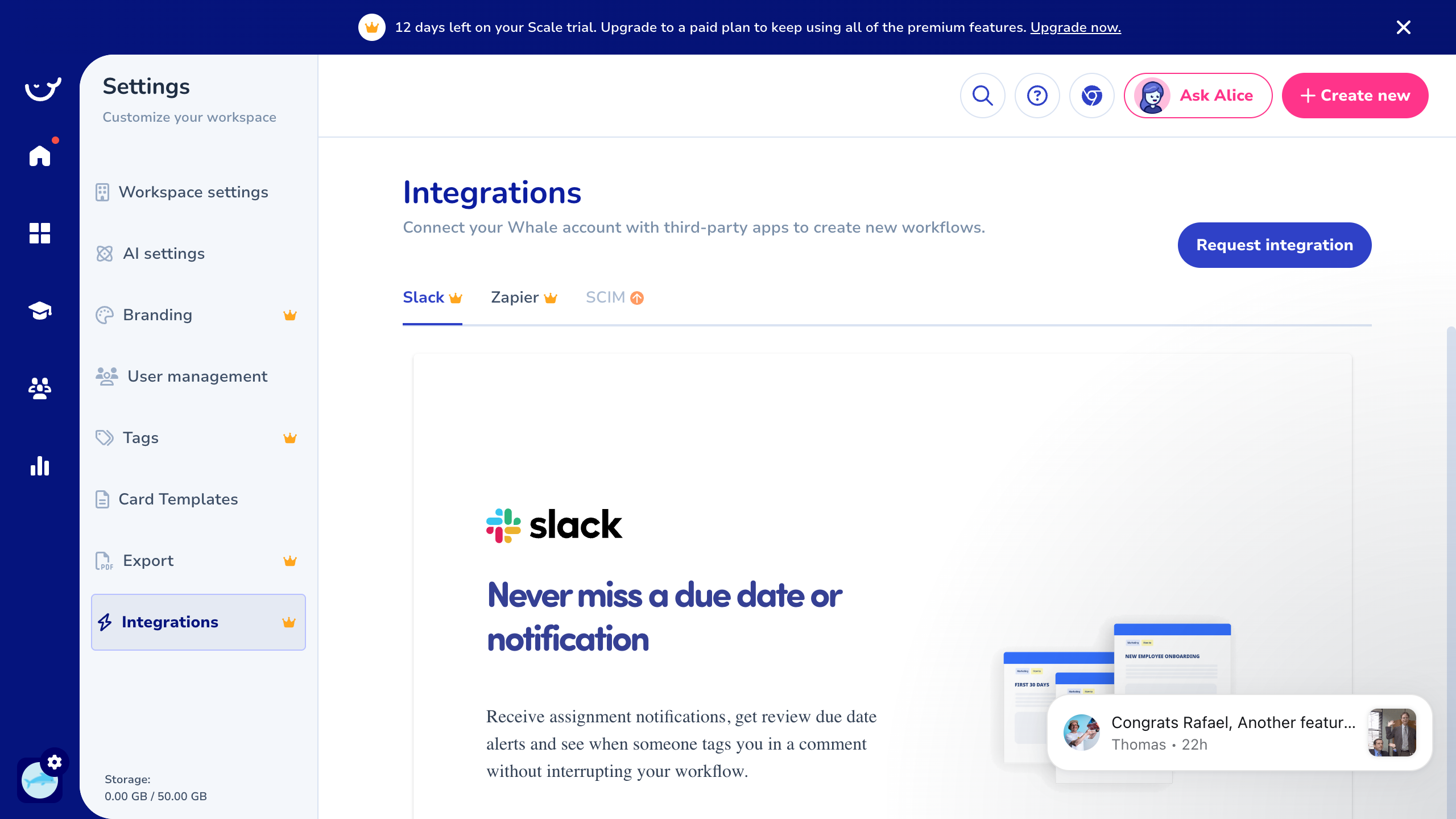
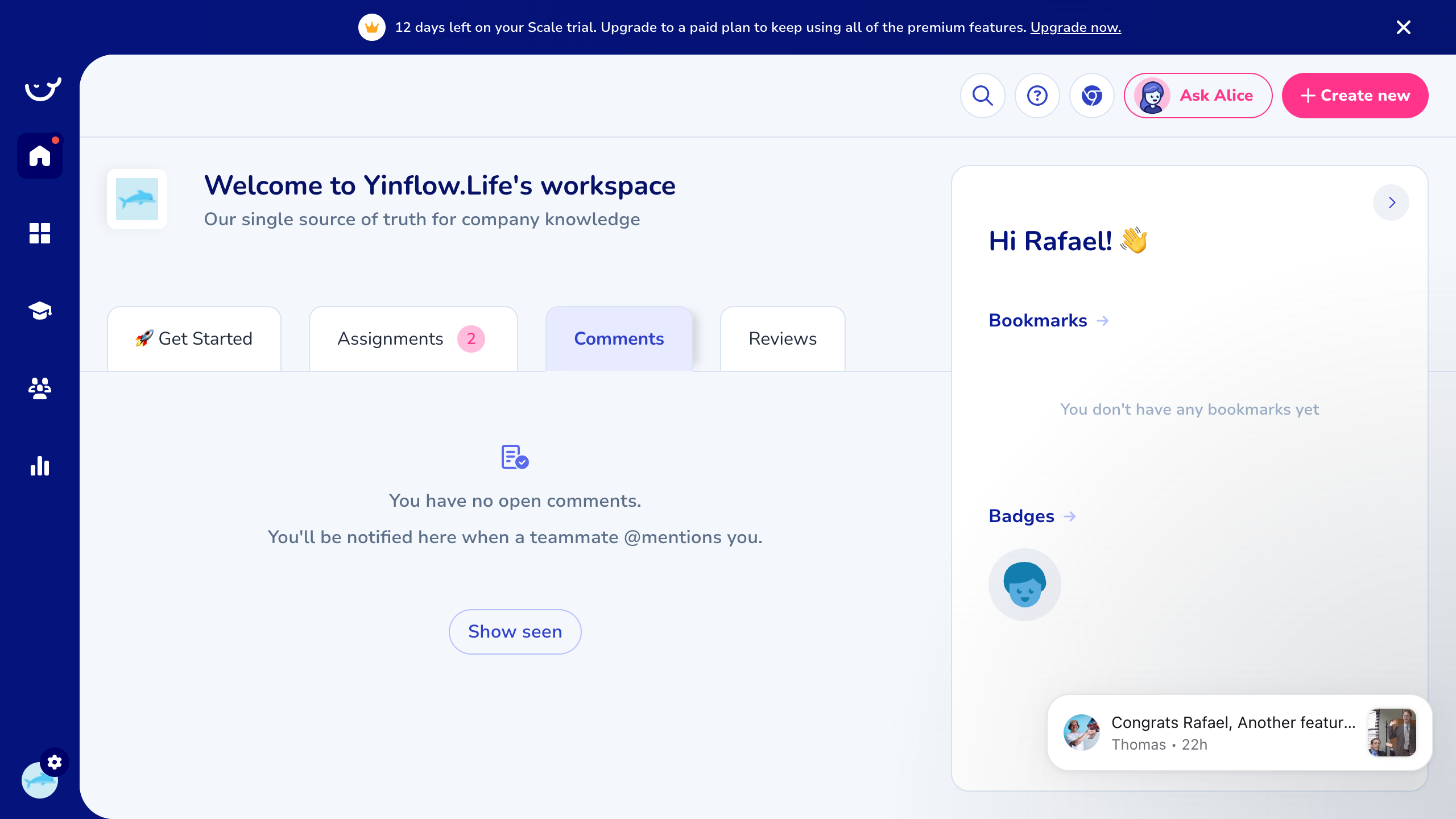
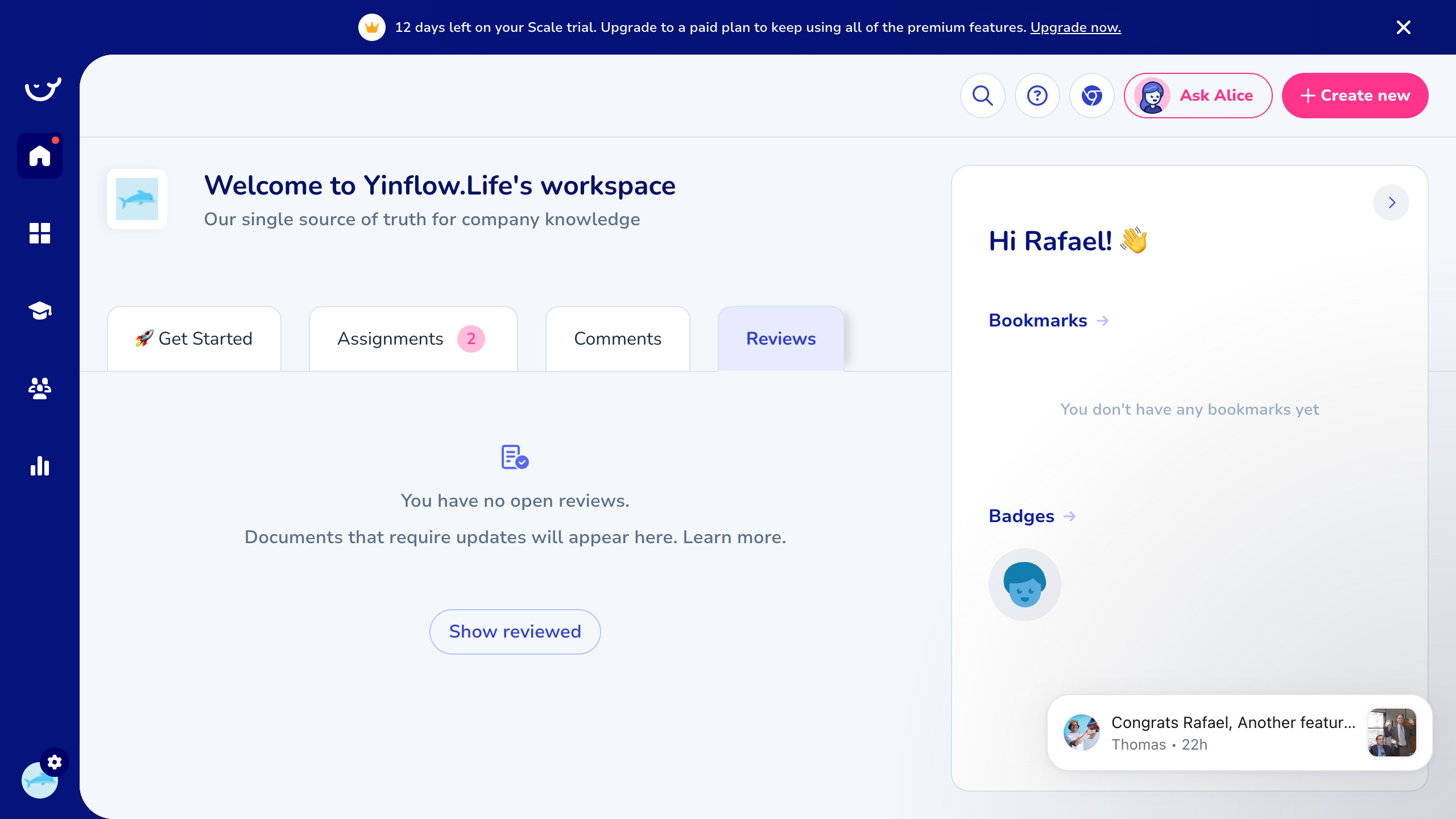
Information Architecture
| Icon | Section | URL Path | Purpose |
|---|---|---|---|
| Home | Dashboard | /dashboard | Personal hub: assignments, comments, reviews, bookmarks, badges |
| Grid | Boards | /boards | Top-level content organization (like workspaces/projects) |
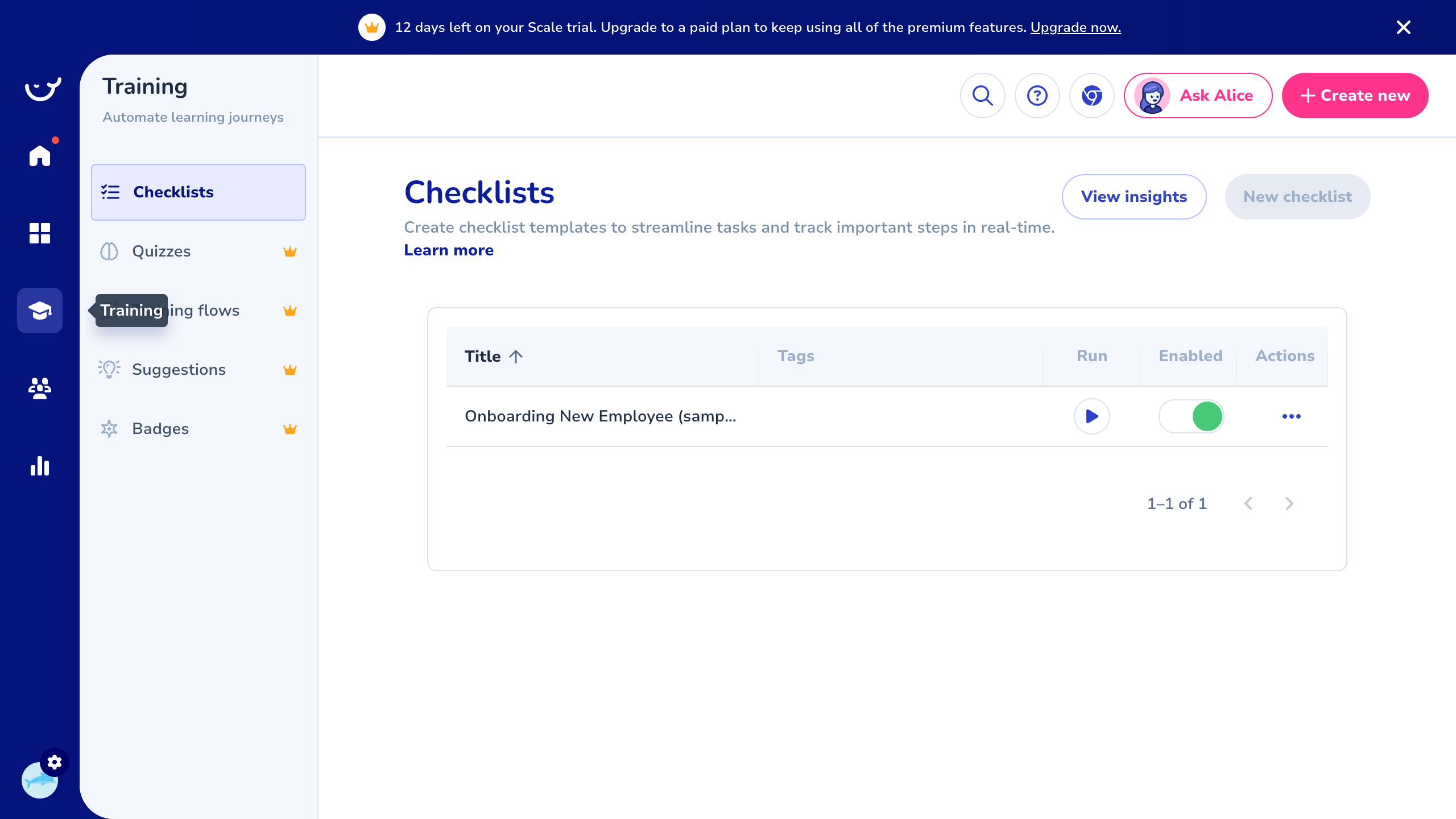
| Bubble | Training | /training/* | Learning journeys: checklists, quizzes, flows, suggestions, badges |
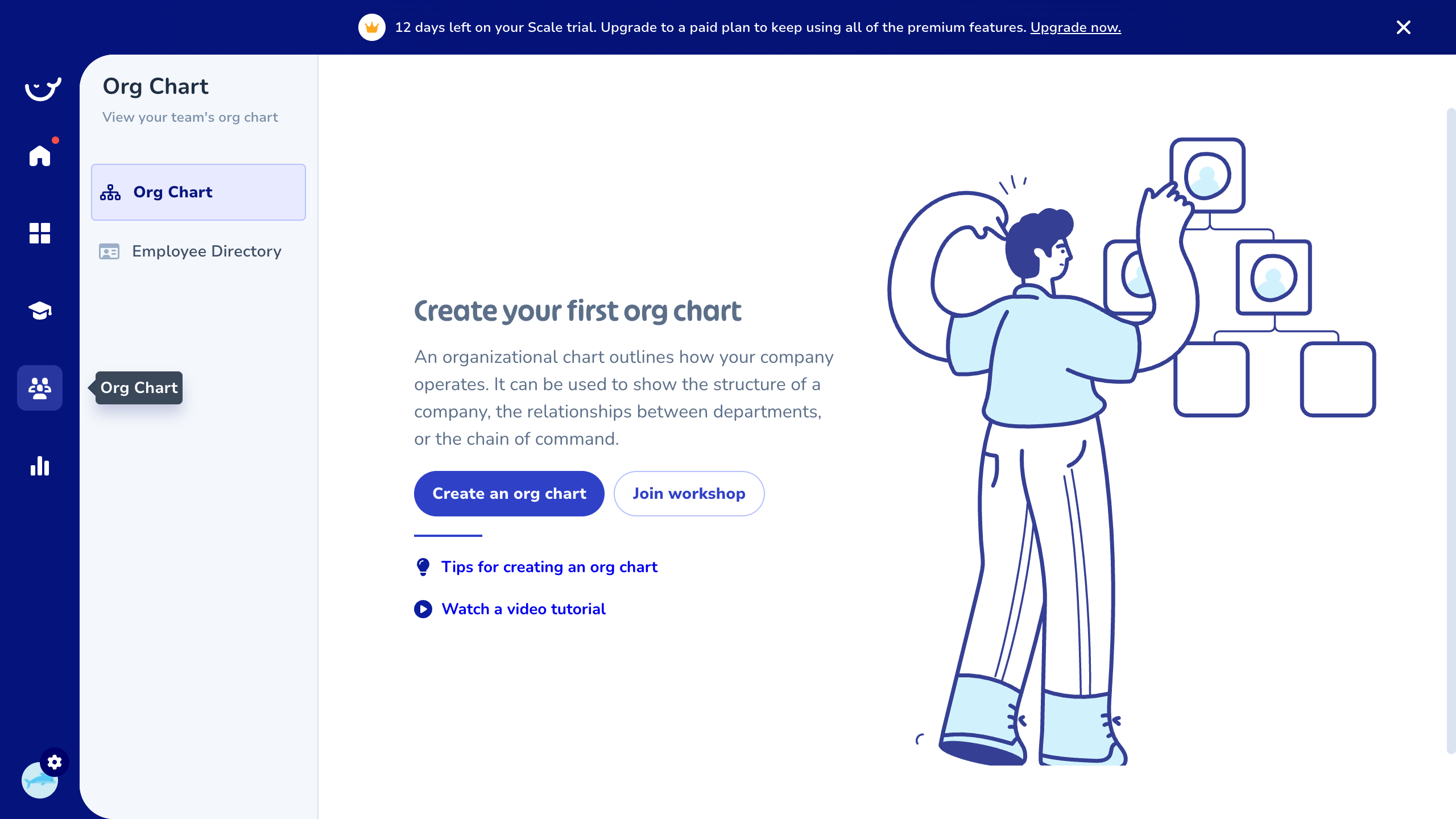
| People | Org Chart | /org-chart | Visual org chart + employee directory |
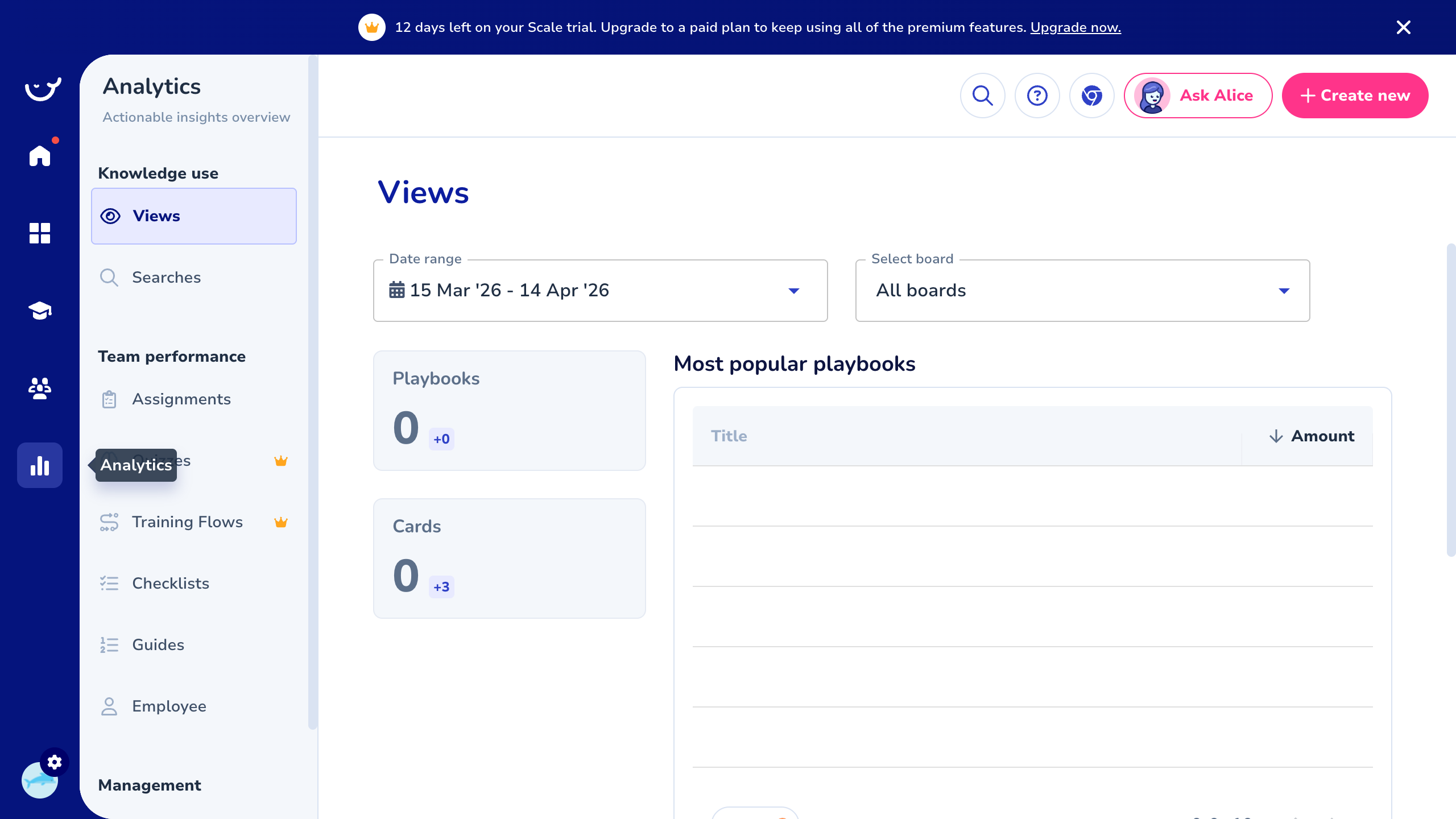
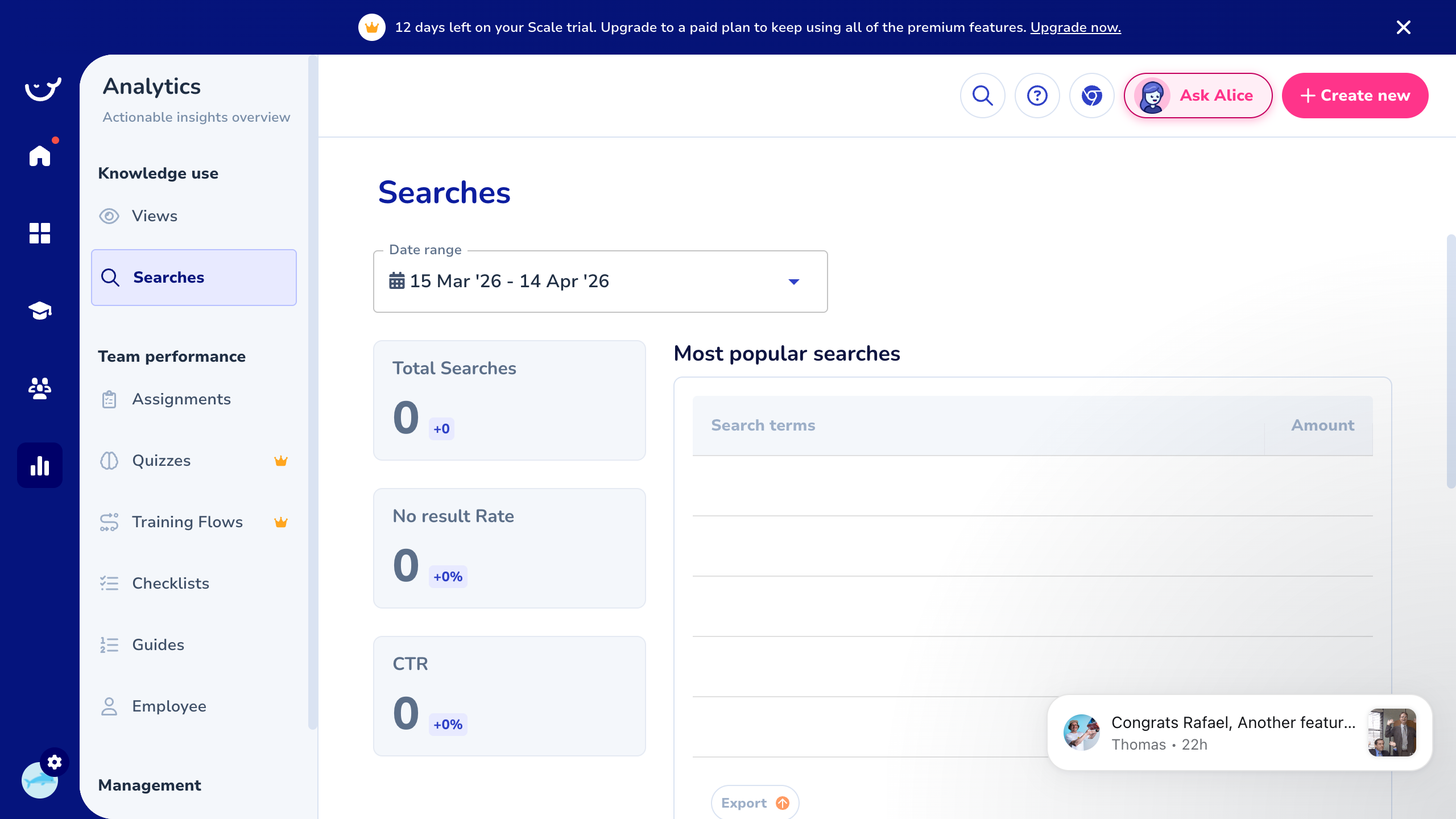
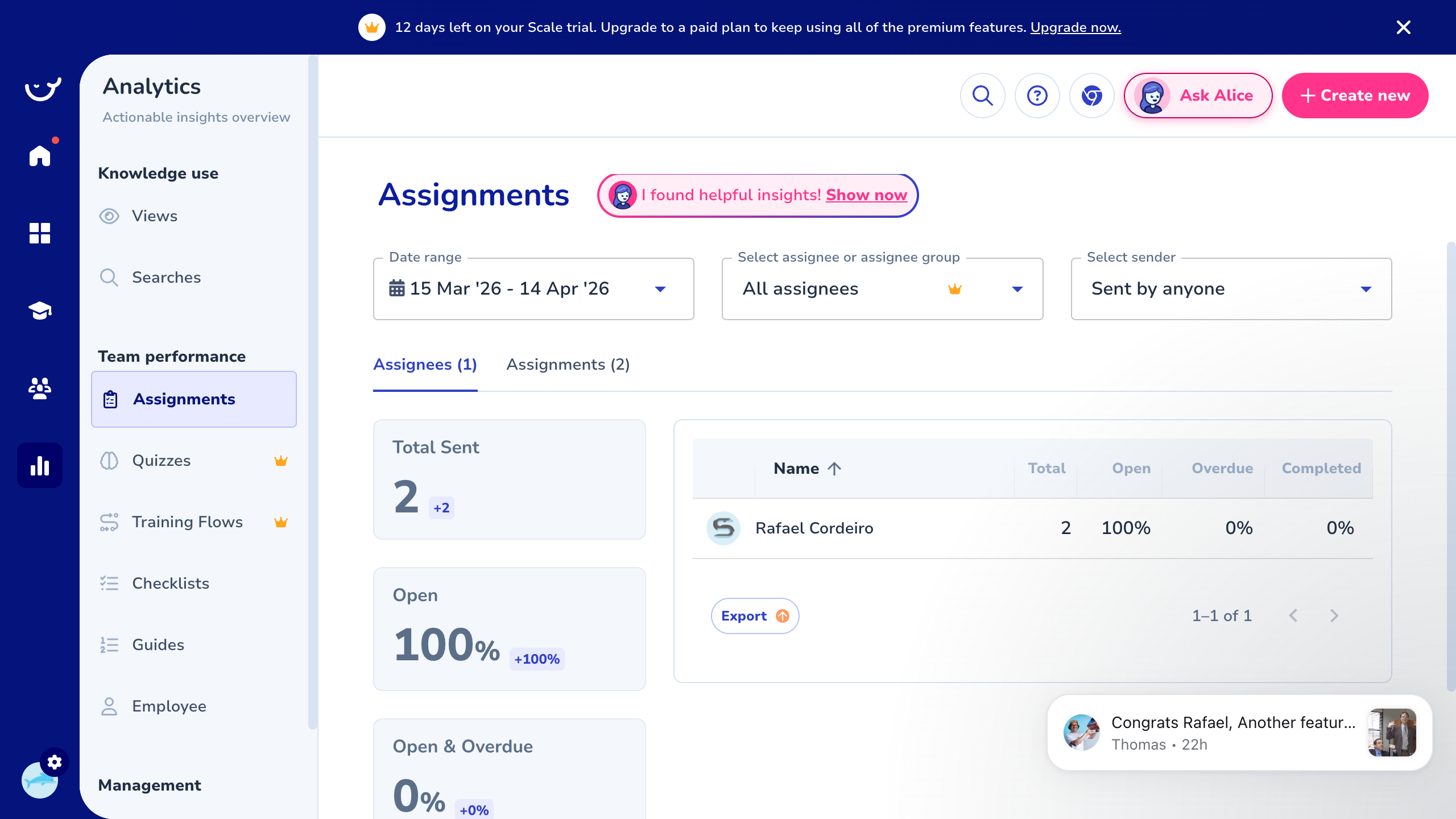
| Chart | Analytics | /insights/* | Knowledge usage and team performance metrics |
| Gear | Settings | /settings/* | Workspace config, AI, branding, users, templates, integrations |
Feature Inventory
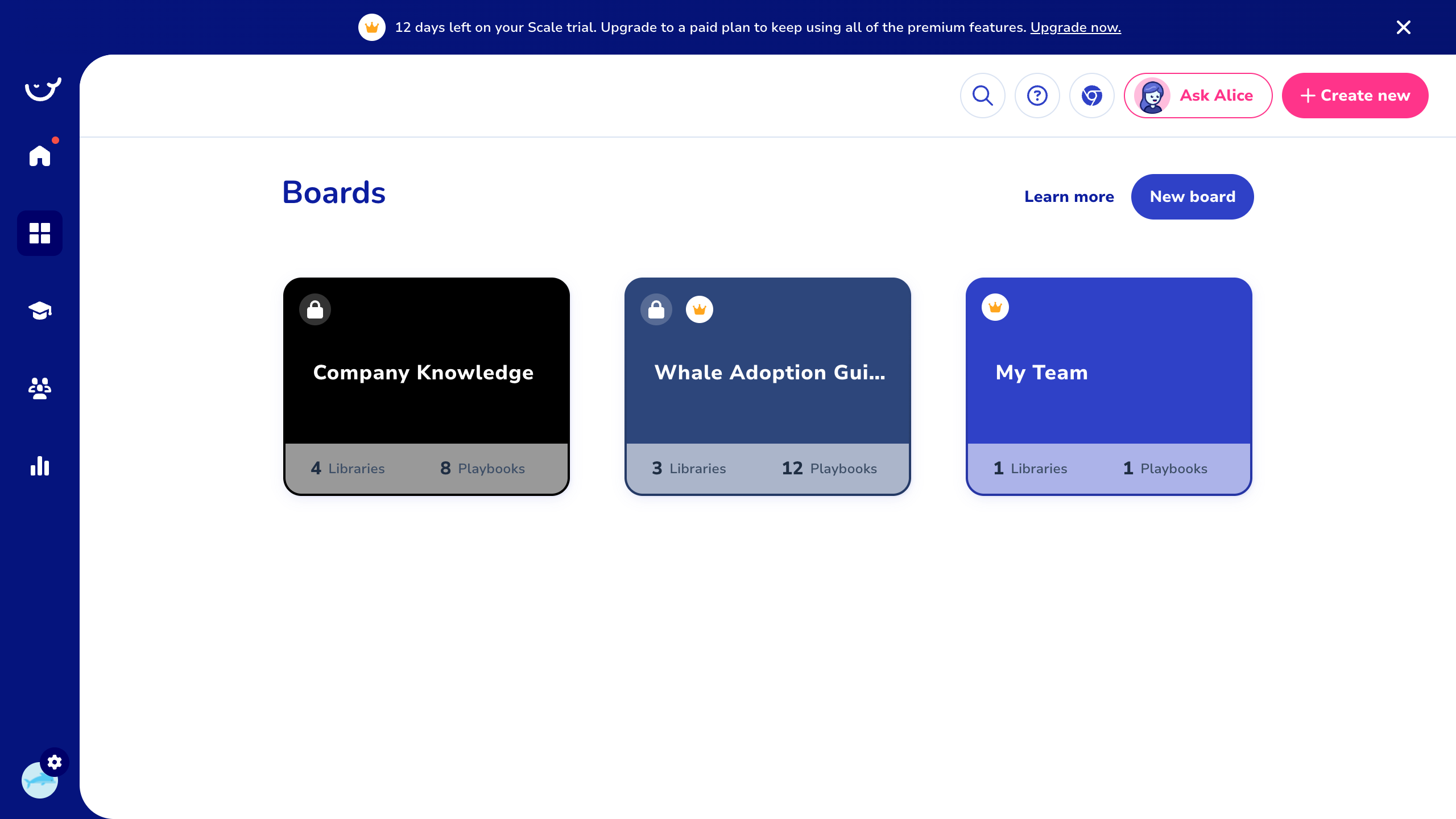
Boards (Content Organization)
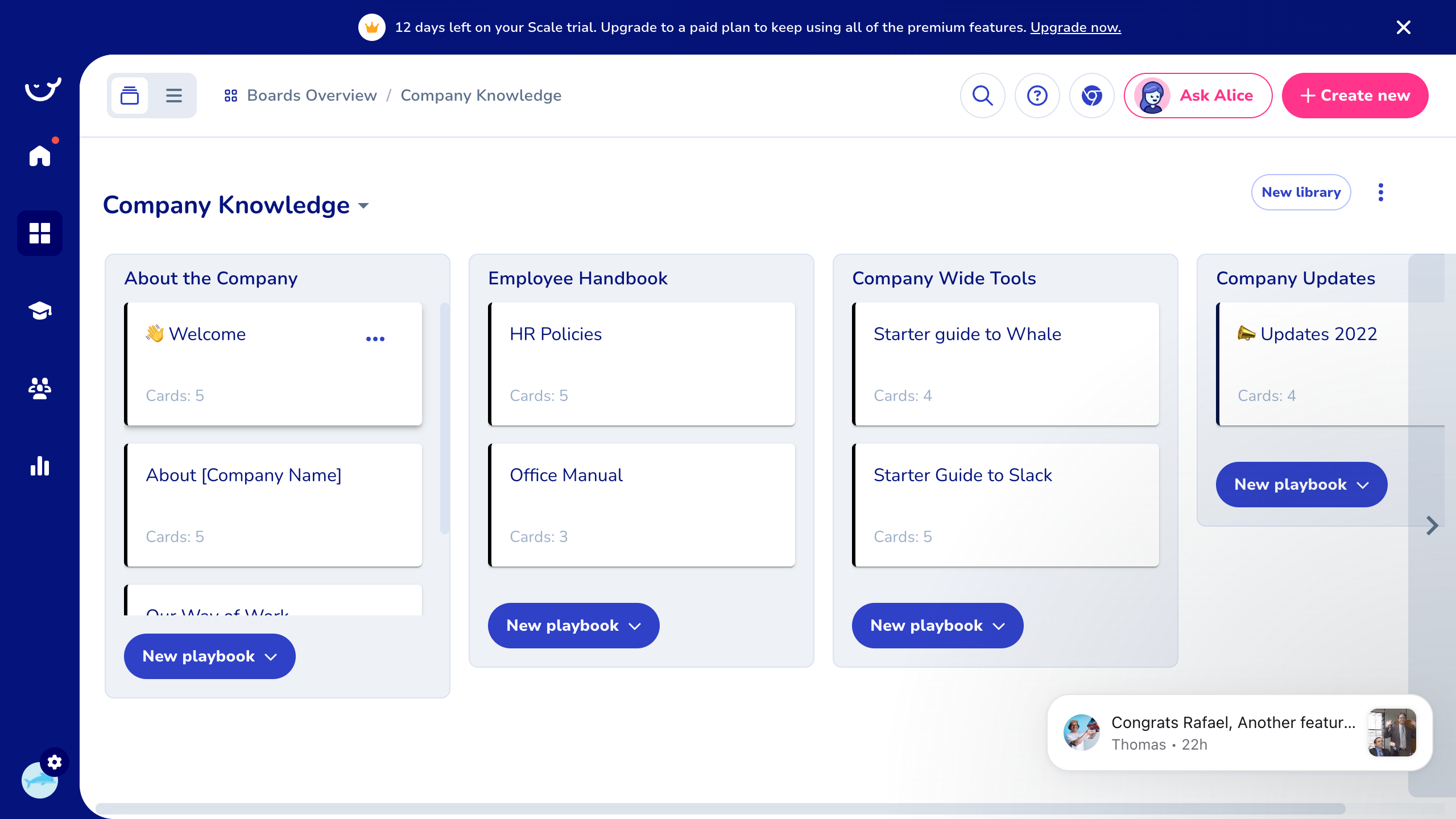
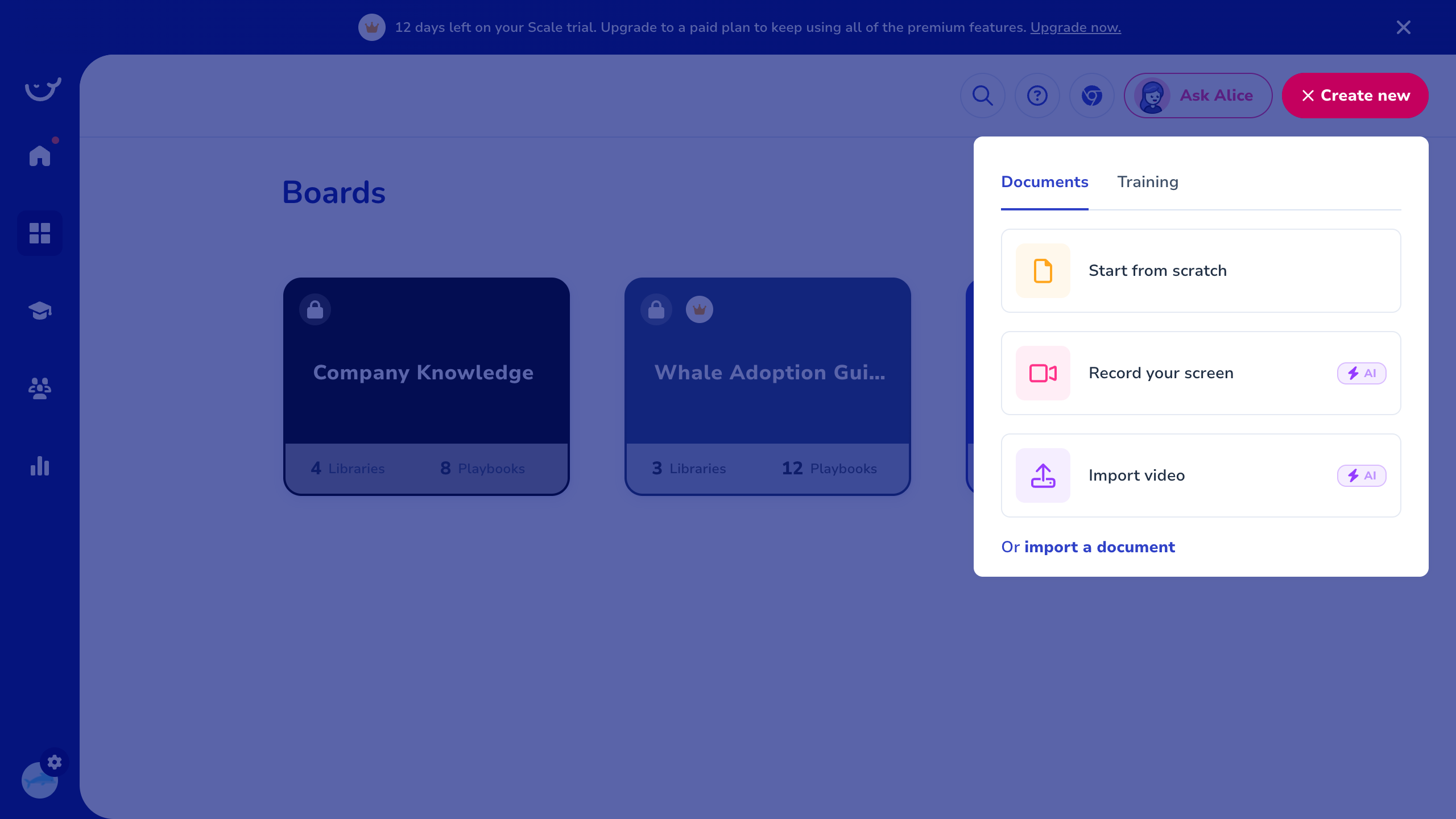
The top-level organizational unit. Each board is a themed container. Structure: Board > Libraries (columns) > Playbooks (cards within libraries).
- Create new boards with custom colors
- Lock boards (lock icon visible on some)
- Each board shows count of Libraries and Playbooks
Playbooks & Cards
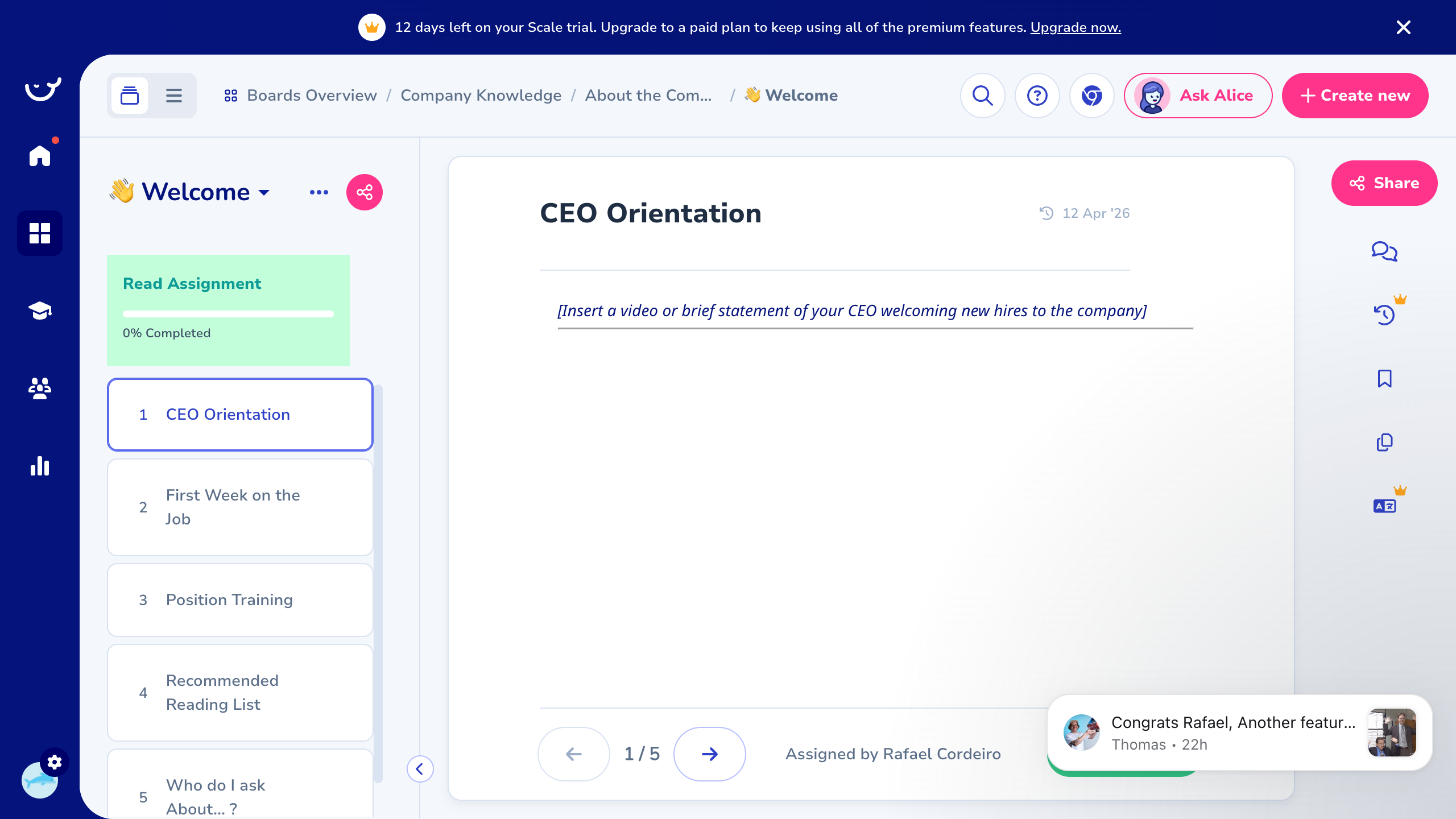
A Playbook is a multi-page document consisting of ordered Cards.
- Left sidebar: numbered list of cards (e.g., 1. CEO Orientation, 2. First Week on the Job)
- Card navigation: < 1/5 > with "Assigned by [Name]"
- Rich text editor for each card
- Read Assignment — assign playbooks for reading with completion tracking (0% Completed)
- Share, Comments, Version history, Bookmark
- Breadcrumb navigation: Boards Overview > Board > Library > Playbook
Card Templates
Pre-built document structures: Video Tutorial, SOP (simple), Policy, SOP (detailed). Each template has title, preview, creator, tags, and actions.
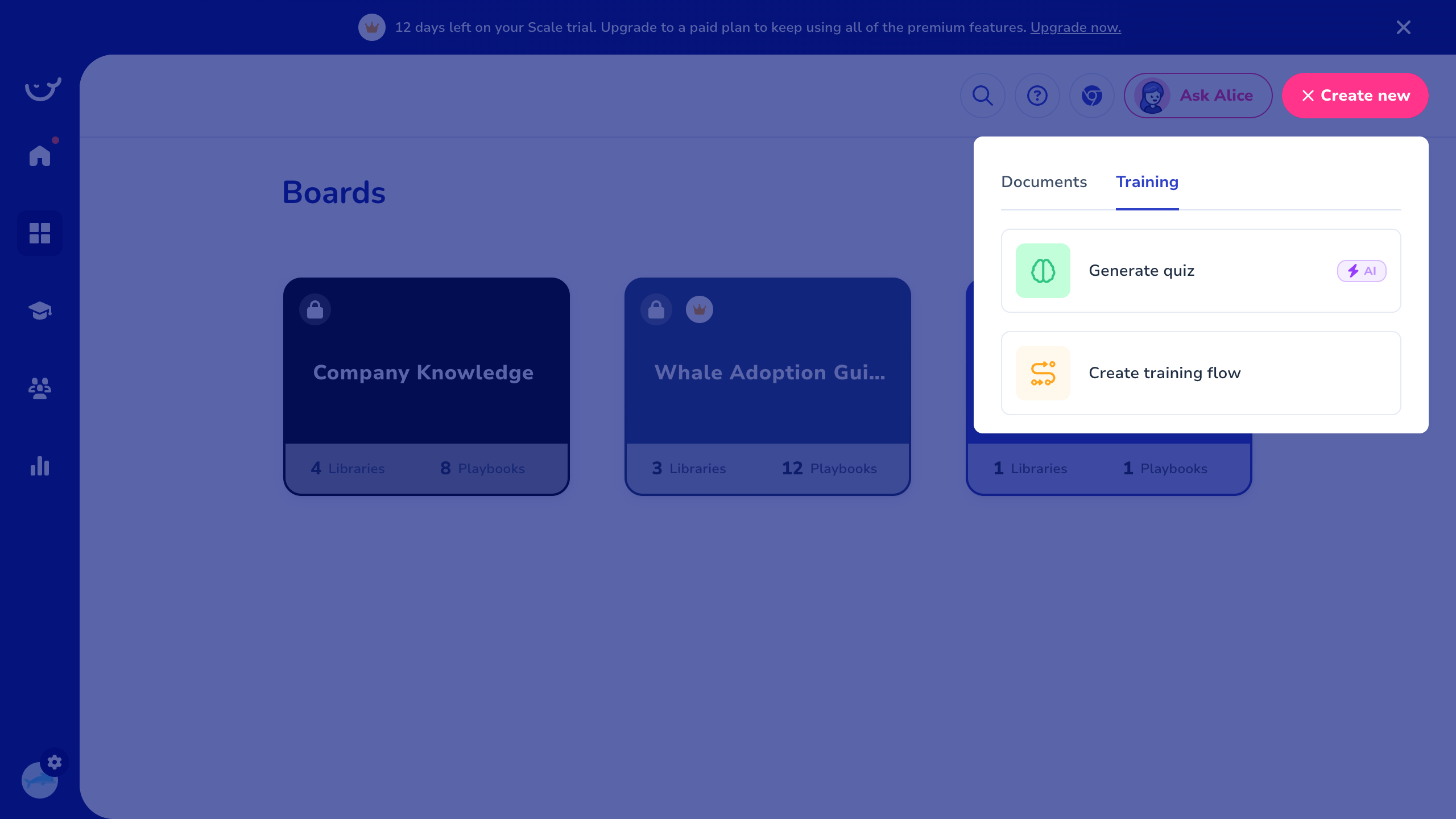
Content Creation (+ Create New)
Documents tab: Start from scratch, Record your screen (AI-powered, premium), Import video (AI-powered, premium), Import a document.
Training tab: Generate quiz (AI-powered, premium), Create training flow.
Training Module
| Sub-section | Path | Description |
|---|---|---|
| Checklists | /training/checklists | Create checklist templates to streamline tasks. Table: Title, Tags, Run, Enabled, Actions. |
| Quizzes | /training/quizzes | Assess team knowledge with timed/automated quizzes. AI quiz generation (premium). |
| Training Flows | /training/training-flows | Multi-step guided learning journeys (premium). |
| Suggestions | /training/suggestions | Context-sensitive knowledge embedded into external tools via browser extension. |
| Badges | /training/badges | Gamification: reward team members. Custom badges: "Whale Champion", "Whale Rookie". |
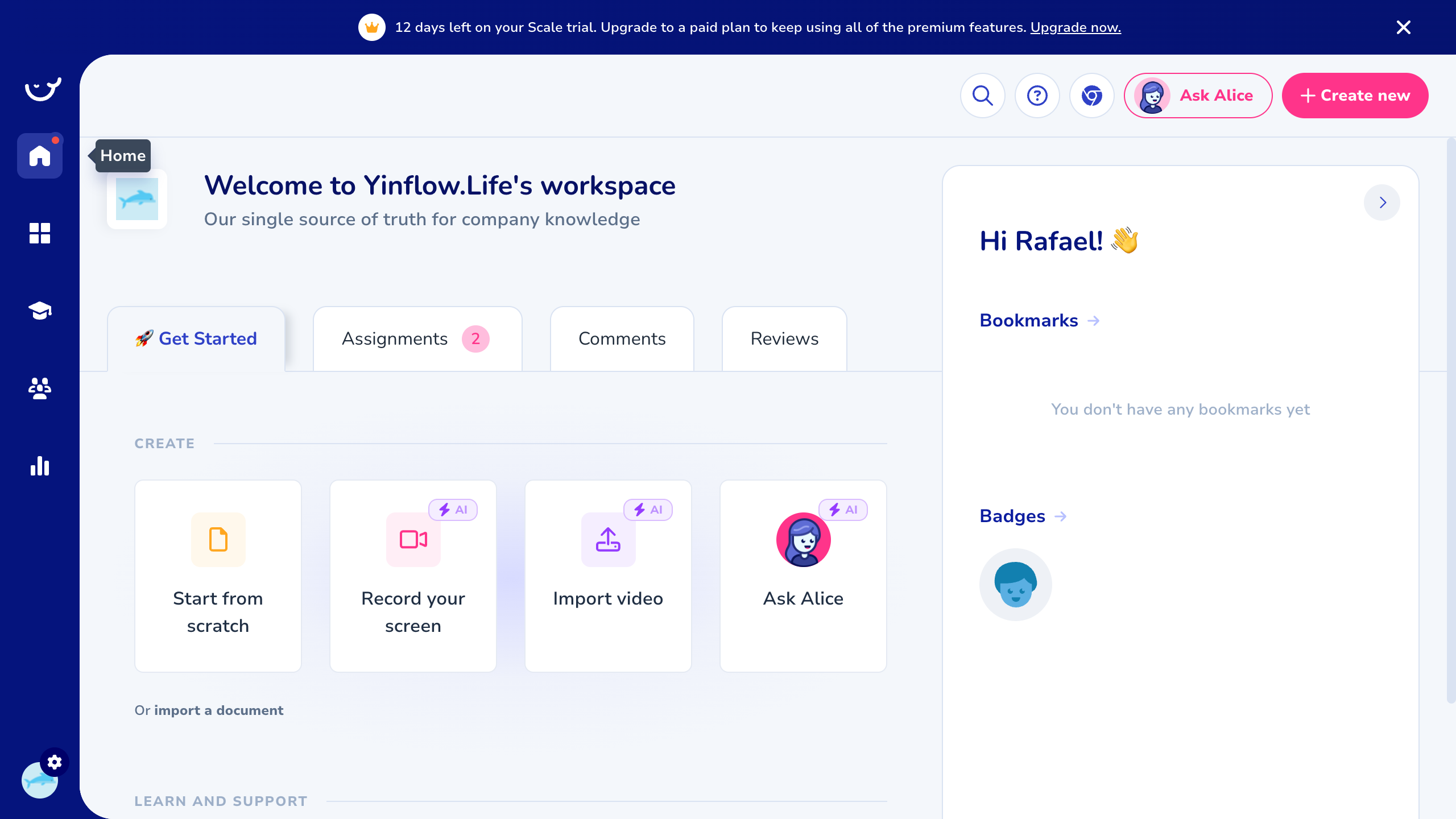
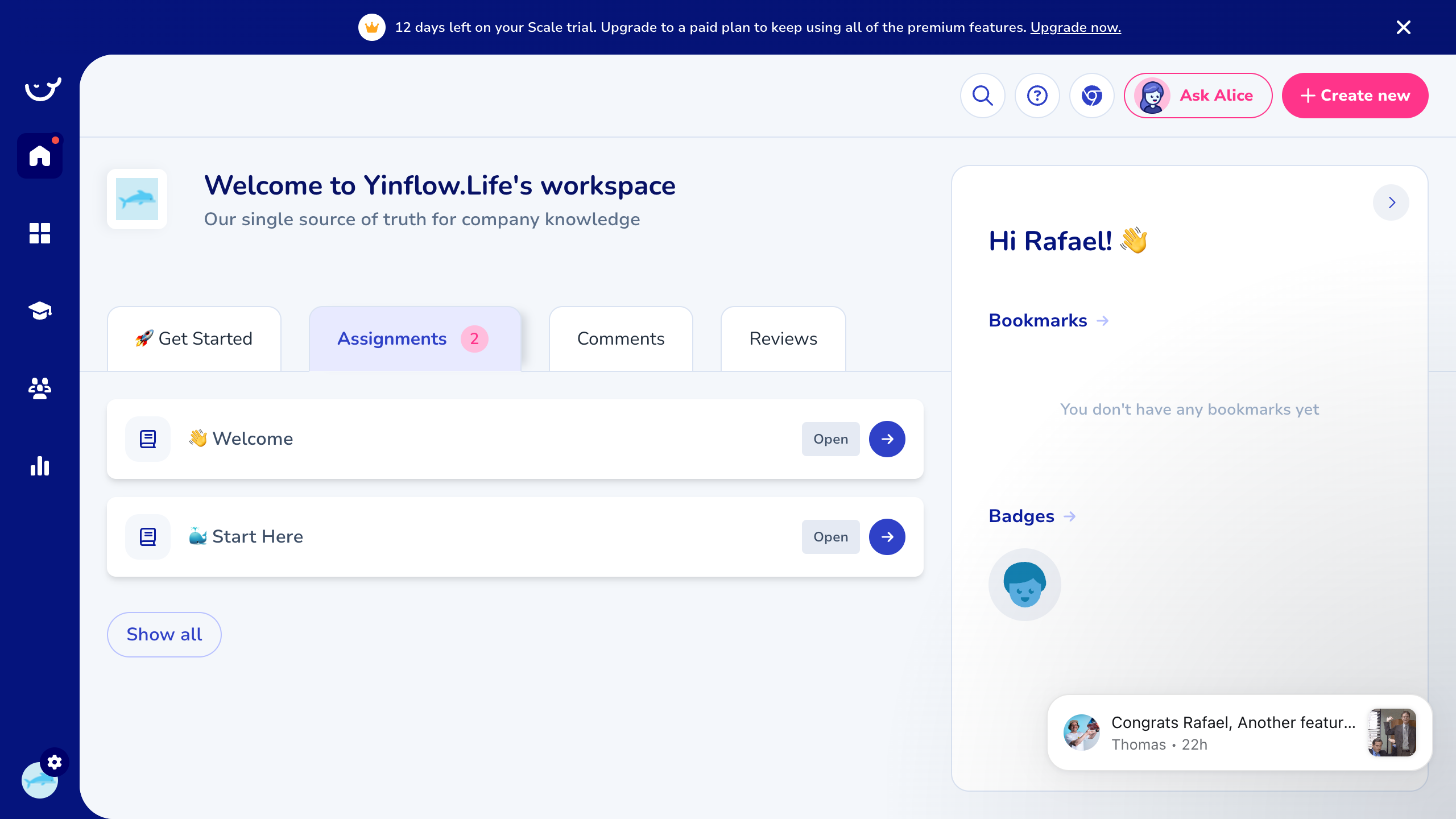
Dashboard (Home)
| Tab | Purpose |
|---|---|
| Get Started | Onboarding guide + quick-create actions |
| Assignments (3) | Playbooks assigned for reading (badge shows count) |
| Comments | @mentions and comment threads |
| Reviews | Documents requiring periodic review/update |
Right sidebar: Bookmarks, Badges earned. Quick-create: Start from scratch, Record your screen, Import video, Ask Alice.
Content Hierarchy
Workspace
├―― Boards (themed areas)
├―― Libraries (categories/columns)
├―― Playbooks (multi-card documents)
└―― Cards (individual pages)
AI Features — Ask Alice
Modal overlay, accessible from anywhere. Three capabilities:
- Find Answers — "Get answers from documented knowledge"
- Write Docs — "Draft procedures, policies or SOPs"
- Organize — "Get suggestions on workspace structure"
Free-form text input. Disclaimer: "Alice can make mistakes. Consider checking important information."
AI Integration Points
- Ask Alice — RAG over workspace knowledge
- AI Quiz Generation — auto-create quizzes from playbook content
- Screen Recording — AI-enhanced video creation
- Video Import — AI processing of imported videos
Training & Onboarding
Assignment & Tracking Flow
- Author creates a Playbook
- Assigns it to team members as "Read Assignment"
- Assignee sees it in Dashboard > Assignments tab
- Progress tracked (0-100% completion per card)
- Analytics shows open/overdue/completed rates
Review Cycle
Documents surface in Dashboard > Reviews tab when they need periodic review. Keeps knowledge fresh and up-to-date.
Analytics
| Category | Metrics |
|---|---|
| Knowledge Use — Views | Playbook view counts, most popular playbooks, date range filter, board filter |
| Knowledge Use — Searches | Total searches, no-result rate, CTR, most popular search terms |
| Team Performance — Assignments | Total sent, open %, overdue %, completion by assignee. Filterable by date, assignee group, sender |
| Team Performance — Quizzes | Quiz completion/scores |
| Team Performance — Training Flows | Flow completion |
| Team Performance — Checklists | Checklist completion |
| Team Performance — Employee | Per-employee metrics |
All analytics support: date range filtering, export to CSV, board/group filtering.
Settings
| Section | Features |
|---|---|
| Workspace settings | Company name, logo/avatar |
| AI settings | Customize "Alice" (name, greeting, avatar, no-answer email), Connected resources tab |
| Branding | Custom colors/branding (paywalled) |
| User management | Members, roles, groups (paywalled) |
| Tags | Taxonomy for organizing content |
| Card Templates | Document templates (SOP, Policy, Video Tutorial) |
| Export | Bulk export workspace data |
| Integrations | Slack, Zapier, SCIM — "Request integration" button |
Pricing
- Free trial — Scale plan features for limited days (14 days)
- Scale plan — full feature set (premium icons on: screen recording, video import, AI quiz, training flows, suggestions)
- Features behind paywall on trial: Branding, User Management, Employee Directory, some Integrations
Strengths & Weaknesses
Strengths
- Board > Library > Playbook > Card hierarchy is their core innovation — gives structure to what would otherwise be a flat wiki.
- Assignments + completion tracking turns passive documentation into active training.
- AI assistant (Alice) is table stakes — RAG over workspace knowledge, write docs, organize.
- Analytics on knowledge usage (who read what, what's being searched, no-result rate) — surfaces gaps in documentation.
- Review cycles keep knowledge fresh — documents surface automatically when needing periodic review.
Weaknesses
- Premium features behind paywall (screen recording, video import, AI quiz, training flows, suggestions).
- No mobile app mentioned.
- Limited integrations (Slack, Zapier, SCIM only).
- No HRIS/payroll sync.
- No multi-language support.
Relevance to Arvios
| Whale Feature | Arvios Equivalent | Priority |
|---|---|---|
| Boards > Libraries > Playbooks > Cards | KB collections hierarchy | Already have collections |
| Read Assignments + completion tracking | Training assignments for new hires | High — maps to onboarding |
| Checklists with run/enable | Onboarding checklists per client | High |
| Ask Alice (AI over docs) | AI agent chatbot (planned) | High — already on roadmap |
| Card Templates (SOP, Policy) | Document templates per collection | Medium |
| Analytics (views, searches, assignments) | Operations dashboard metrics | Medium |
| Quizzes | Post-training assessments | Medium |
| Badges/gamification | Employee recognition | Low |
| Training Flows | Guided onboarding sequences | Medium |
| Version History | Document versioning | Medium |
| Review Cycles | Periodic knowledge refresh | Medium |
Key Takeaways
The Board > Library > Playbook > Card hierarchy is their core innovation. Assignments + completion tracking is the killer feature. AI assistant (Alice) is table stakes. Analytics on knowledge usage surfaces gaps. Review cycles keep knowledge fresh.
Trainual
"Your smartest employee just clocked in."
Screenshots
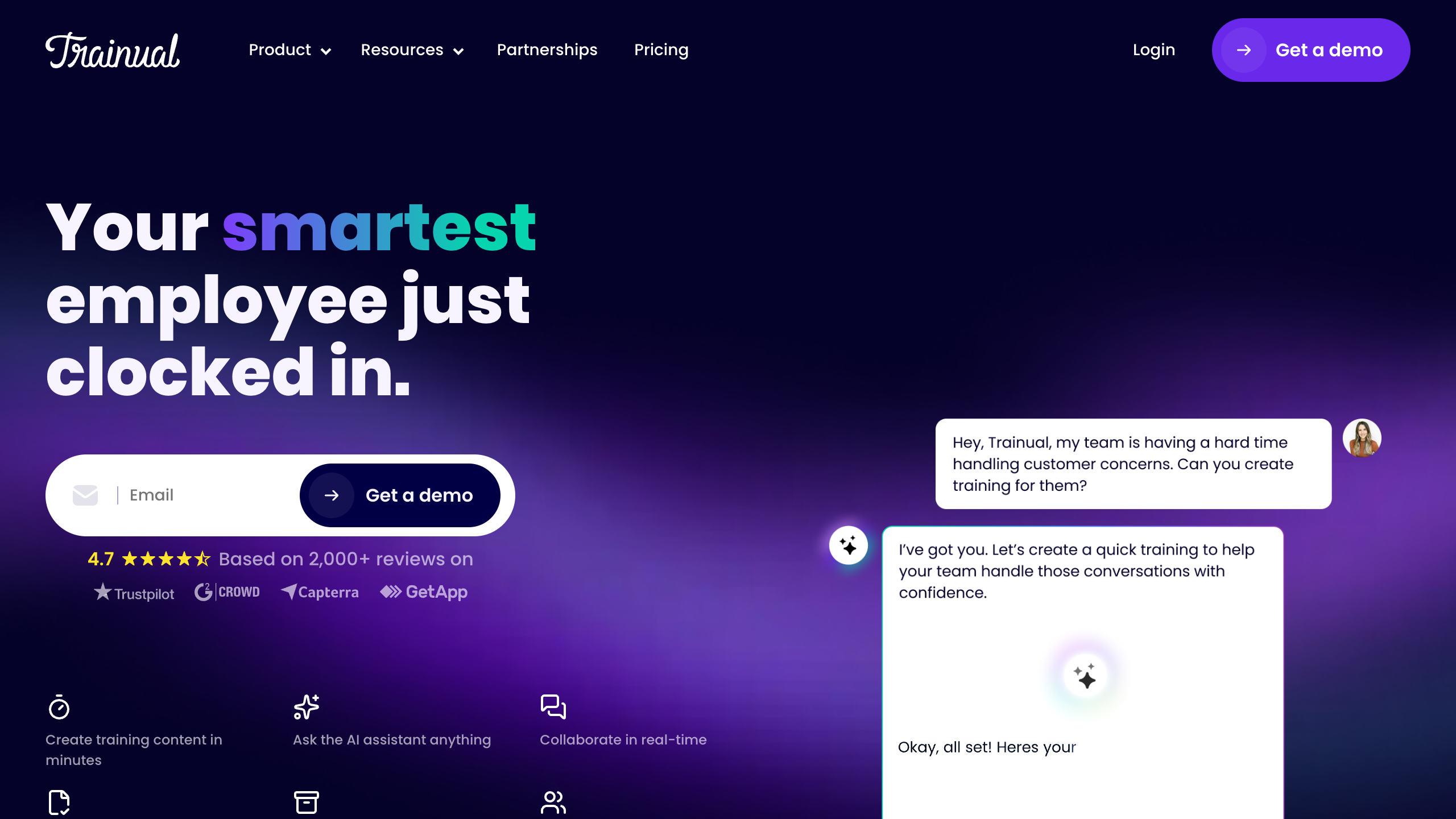
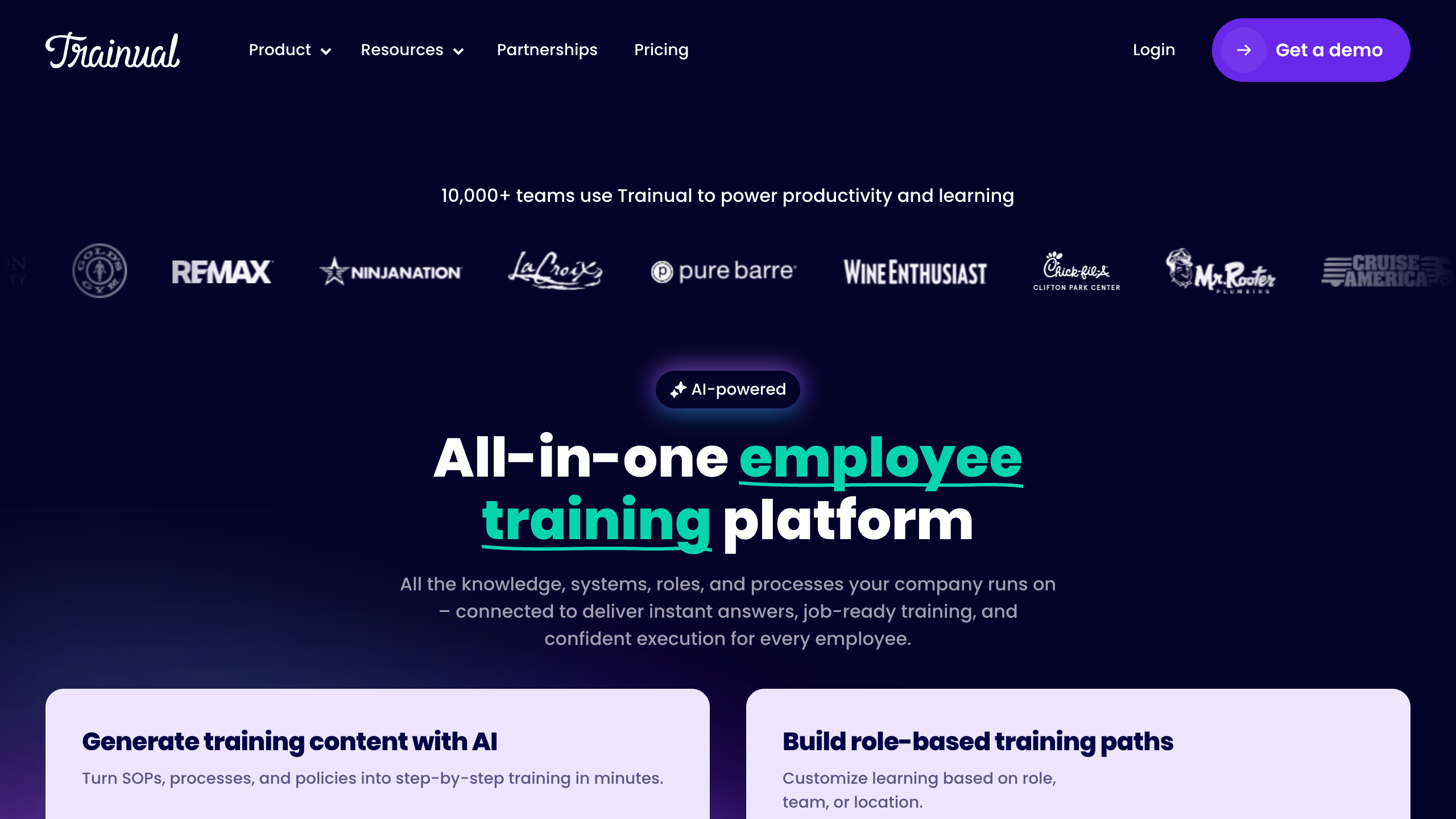
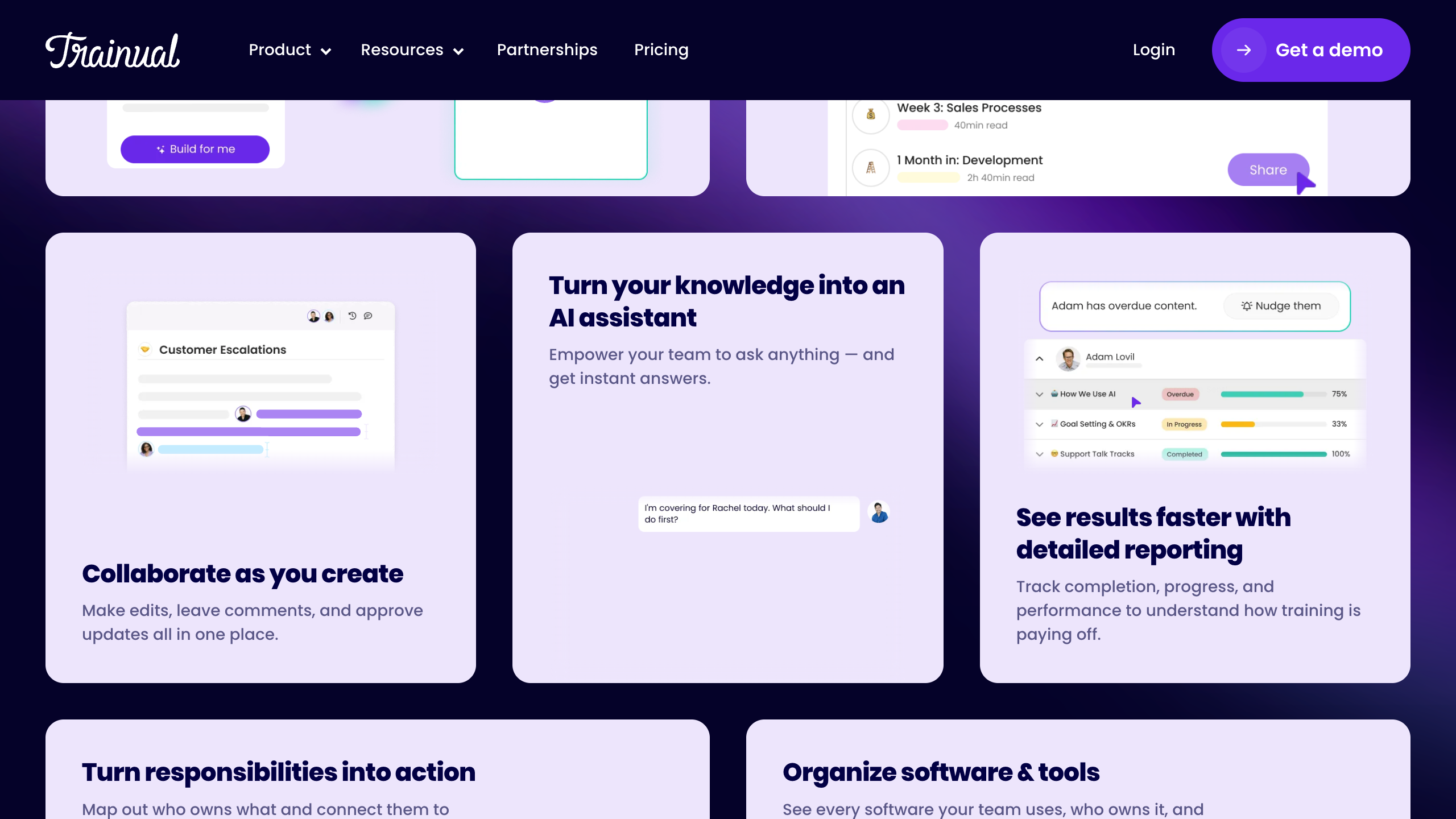
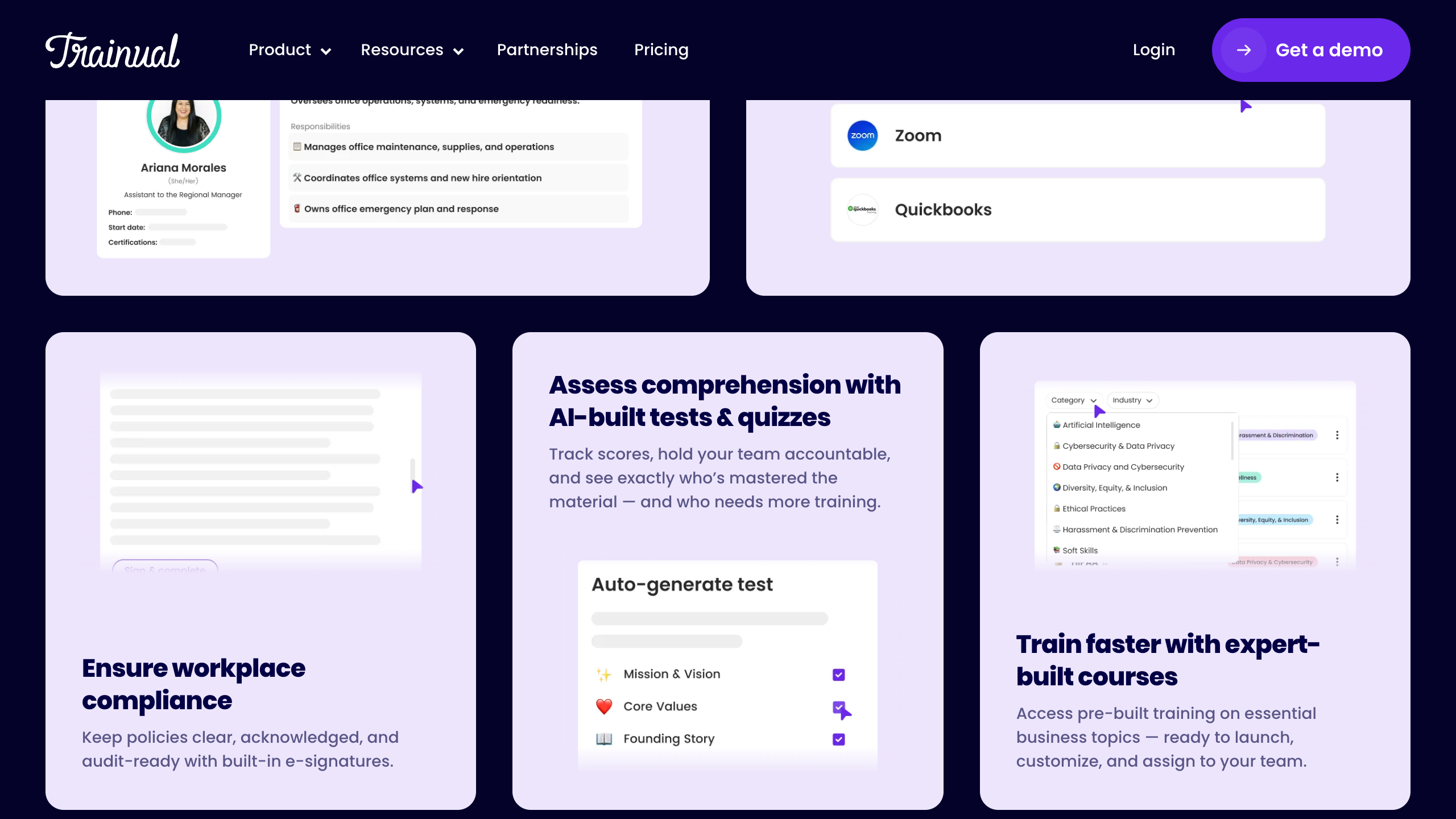
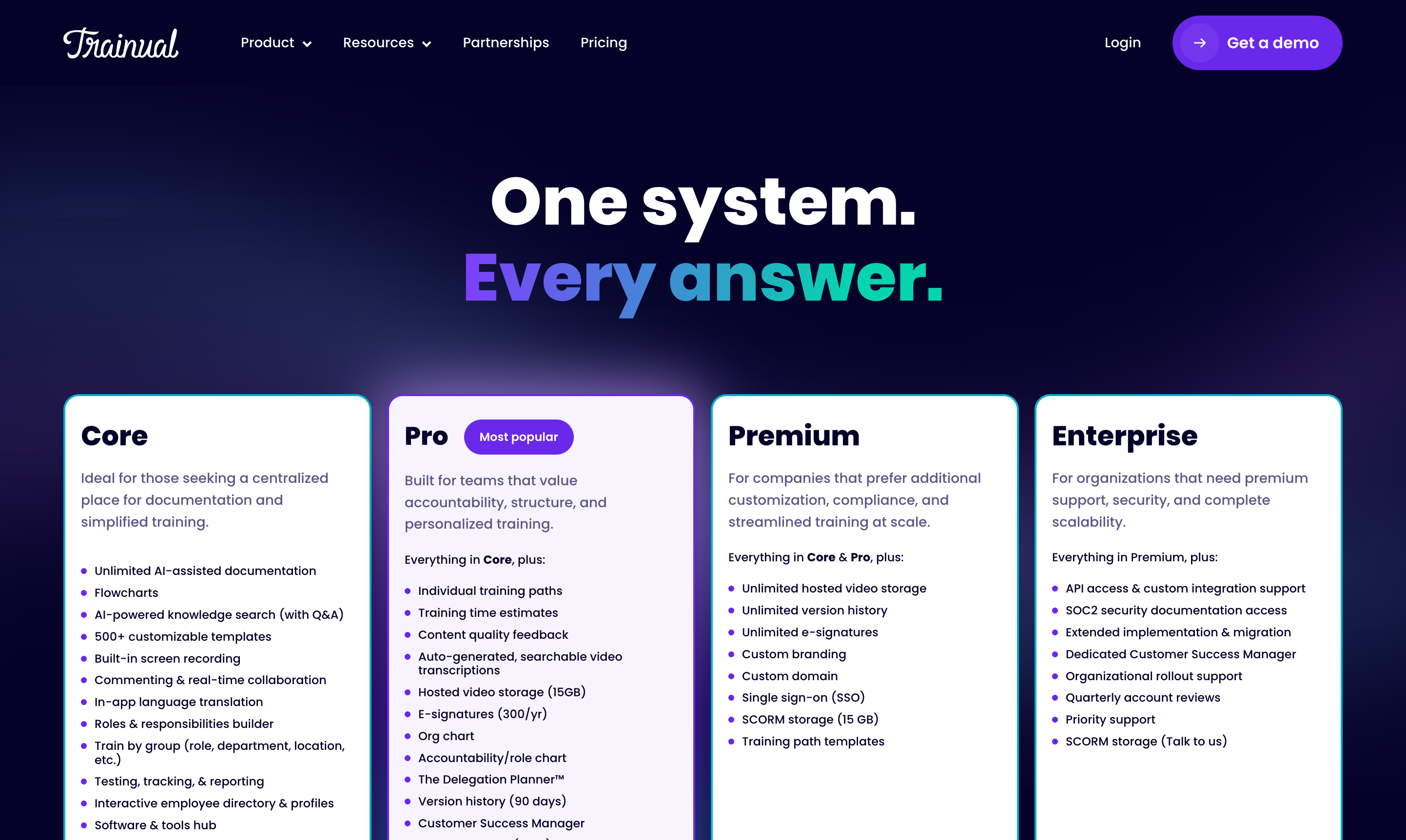
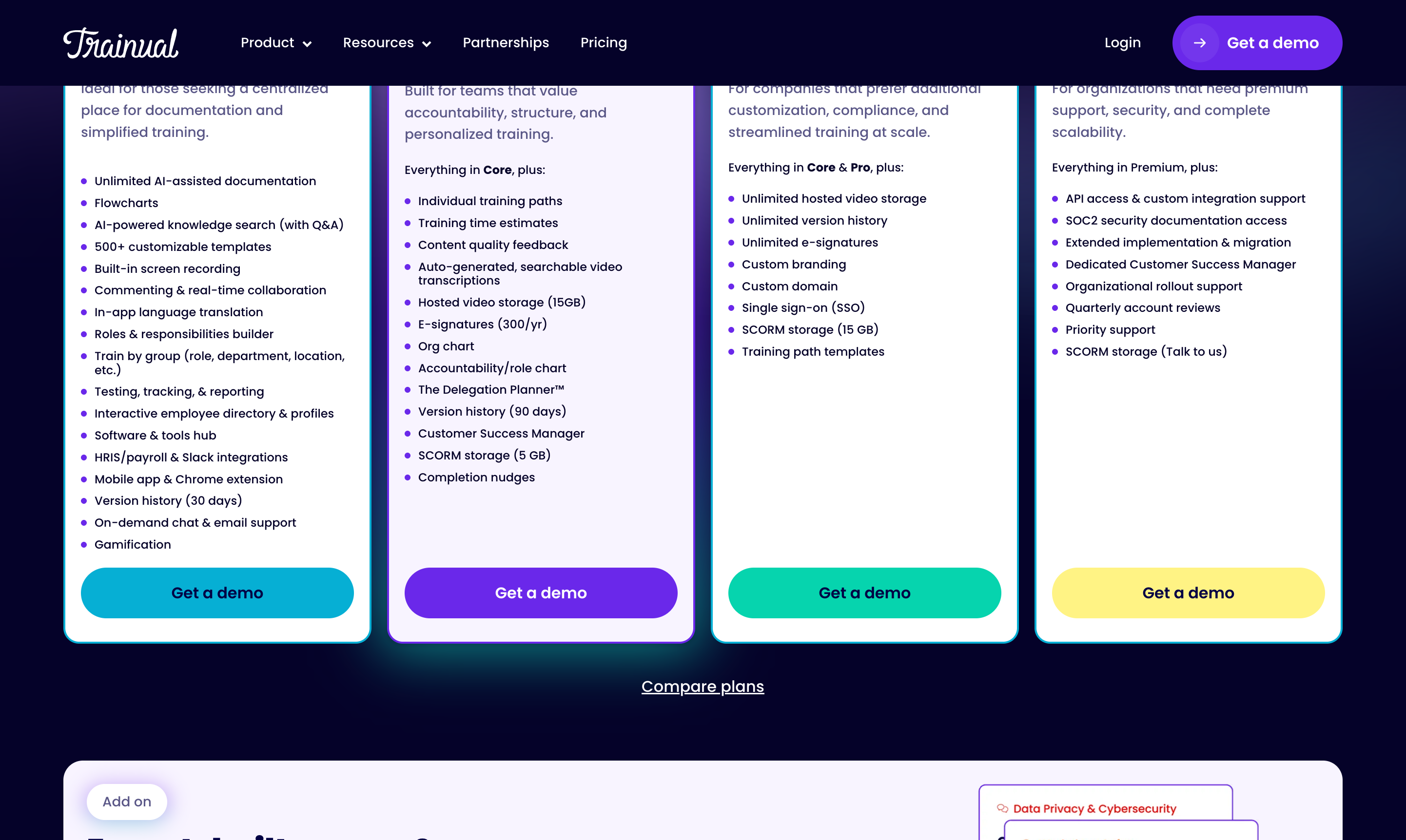
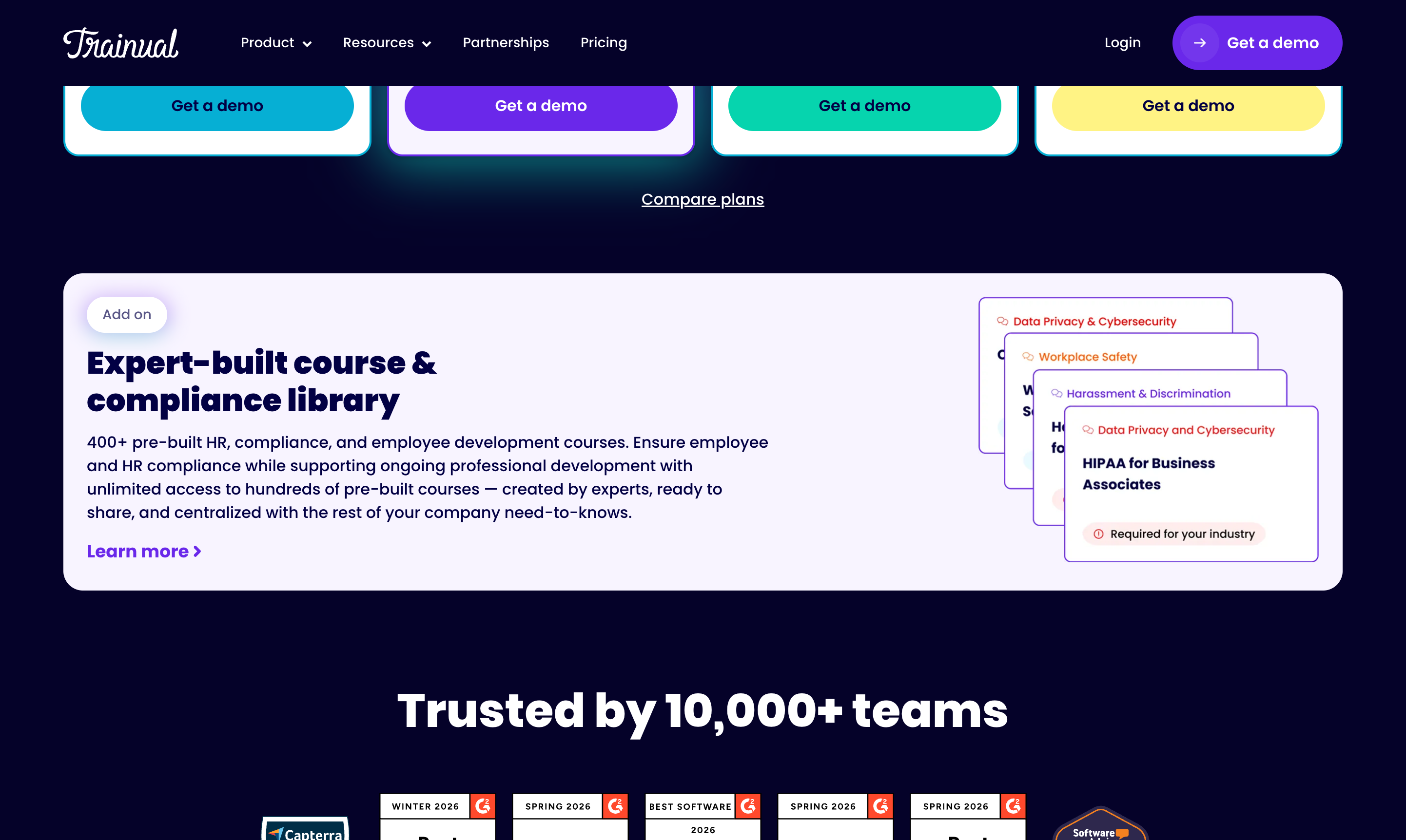
Information Architecture
| Section | Purpose |
|---|---|
| Product | Features overview (documentation, training, AI, org chart, roles) |
| Solutions | Segmented by company size (startup, SMB, enterprise) and role (ops, HR) |
| Templates | 500+ SOP and process templates |
| Resources | Blog ("The Manual"), podcast, university, case studies |
| Pricing | Four-tier plan comparison |
| Integrations | HRIS/payroll, SSO, content creation, communication tools |
Apps: Web app (primary), Chrome extension, Desktop app, iOS app, Android app.
Feature Inventory
Knowledge Management
- Subject/Document/Page content hierarchy (three-level nesting)
- Rich text editor with images, videos, flowcharts, embeds
- Built-in screen recording
- Version history (30/90/unlimited days by tier)
- Content commenting and threaded discussions
- Quick-flag system for outdated content
- Public sharing for contractors/candidates
- 500+ customizable process templates
- SCORM package import support
- Hosted video with auto-generated transcripts
- Centralized tech stack documentation
AI & Search
- AI Assist: generate SOPs, quizzes, and workflows from scratch
- AI content editing: rewrite, expand, adjust tone/length, fix grammar
- Multi-language translation via AI
- AI-powered natural language search (Q&A style)
- AI assistant sidebar with follow-up conversation capability
- AI-generated quiz/test questions from content
- AI Role Chart generation
Training & Onboarding
- Role-based training paths with auto-assignment
- Training path templates for structured onboarding
- Due dates and completion tracking
- Tests/quizzes (5 question types: single-select, multi-select, written, true/false, video response)
- E-signature requirements for policy sign-offs
- Training time estimates
- 400+ pre-built HR/compliance/employee development courses (paid add-on)
- SCORM course import
- Gamification (streaks, leaderboards, progress celebrations)
Organization & Accountability
- Interactive org chart (auto-generated from reporting structure)
- Role chart (maps responsibilities by role, not person)
- Delegation Planner (visual responsibility shifting tool)
- Employee directory with profiles and bios
- Role-based content visibility controls
Integrations
| Category | Tools |
|---|---|
| HRIS/Payroll | ADP Run, ADP Workforce, BambooHR, Dayforce, Deel, Gusto, Justworks, Lattice, Namely, Paycom, Paycor, Paychex, Paylocity, Personio, QuickBooks Payroll, Rippling, TriNet, UKG, Workday |
| SSO | Google SSO, Microsoft Entra, Okta |
| Content | Droplr, Figma, Guidde, iorad, Loom, Spotify, Vimeo, YouTube |
| Communication | Slack, GitHub, Typeform |
| Automation | Zapier (1,000+ apps) |
Content Hierarchy
Subject
├―― Document (formerly "Topic")
└―― Page (formerly "Step")
| Level | Description | Example |
|---|---|---|
| Subject | Broadest unit — a set of processes/procedures | "Employee Handbook", "HR Policies", "Sales Playbook" |
| Document | A specific process or procedure within a subject | "PTO Policy", "Remote Work Policy" |
| Page | Individual actions/steps within a document | "Step 1: Login to CRM" |
AI Features
AI Assist (Content Generation)
Generate full SOPs, workflows, and documentation from scratch. Specify tone, depth, and format. Rewrite, expand, or condense existing content. Multi-language translation. Available on all plans.
AI-Powered Search (Q&A)
Natural language search across all documented content. Returns specific answers, not just document links. Follow-up conversation capability. Available on mobile.
AI Test Generation
Auto-generates quiz questions from subject content. Creates multiple-select answer options. Available on all plans.
AI Role Chart
AI-assisted generation of role charts from existing organizational data.
Comparison to Whale's "Alice"
Trainual's AI is more focused on content creation (generating SOPs and tests) while Whale's Alice is more focused on content retrieval (answering questions from existing docs). Trainual's AI content generation is more mature — it can produce full documents from scratch.
Training & Onboarding
Training Paths
Structured sequences of subjects. Assign by role, team, department, or location. Auto-assign when users join a group. Training time estimates per path.
Tests & Quizzes
Five question types: single-select, multiple-select, written response, true/false, video response. Tests can gate completion. Unlimited retake attempts. AI auto-generation from content.
E-Signatures & Compliance
E-signature capture for policy acknowledgment (300/year on Pro, unlimited on Premium). 400+ pre-built compliance courses (paid add-on).
Gamification
Streak tracking, leaderboards, progress celebrations and badges.
Analytics & Reporting
- Home dashboard with action queue: pending comments, content feedback, verification reminders
- By user: overall completion percentage across all assigned training
- By topic/test: see who has/hasn't completed specific content
- Filter by team, role, department
- Quiz performance tracking
- Exportable reports, monthly recap email
Gaps vs. Enterprise Analytics
No API access for pulling metrics (except Enterprise). No custom report builder. No heatmaps, time-on-page, learning velocity, cohort analysis, or trend visualization.
Pricing
| Core | Pro | Premium | Enterprise | |
|---|---|---|---|---|
| Base price | $249/mo | $319/mo | $399/mo | Custom |
| Included seats | 10 | 10 | 10 | Custom |
| Additional seats | ~$3-5/seat | ~$3-5/seat | ~$3-5/seat | Custom |
| AI documentation | Unlimited | Unlimited | Unlimited | Unlimited |
| Templates | 500+ | 500+ | 500+ | 500+ |
| Tests & tracking | Yes | Yes | Yes | Yes |
| Version history | 30 days | 90 days | Unlimited | Unlimited |
| Training paths | — | Yes | Yes | Yes |
| E-signatures | — | 300/year | Unlimited | Unlimited |
| Custom branding & domain | — | — | Yes | Yes |
| SSO | — | — | Yes | Yes |
| API access | — | — | — | Yes |
Strengths & Weaknesses
Strengths
- Most complete SMB training platform. Combines documentation, training, quizzes, org charts, roles, compliance, and analytics in a single product.
- Mature AI content generation. Can generate full SOPs from scratch with tone/depth control and multi-language translation.
- Deep HR/payroll integration ecosystem. 19+ HRIS/payroll integrations with continuous sync.
- Rich test/assessment system. Five question types including video responses.
- Strong market validation. 10,000+ teams, 4.8/5 Capterra. Recognized category leader.
Weaknesses
- High price floor. $249/mo minimum with 10-seat floor.
- No API below Enterprise. Gated behind most expensive tier.
- Mobile experience gaps. Limited polish, navigation inconsistencies.
- Search inconsistency. Multiple reviewers note accuracy issues.
- Content update friction. Updated docs may require full module retake.
Relevance to Arvios
Key Takeaway
Trainual validates the market for combined KB + training platforms in the SMB space. Their $249/mo price point at 10 seats shows willingness to pay. Arvios's unique advantage is the IAE pipeline — Trainual requires manual documentation or AI-from-scratch, while Arvios can auto-generate knowledge base content from real interview transcripts and meeting recordings.
| Trainual Feature | Arvios Tier | Rationale |
|---|---|---|
| Role-based training paths | Tier 1 (Revenue) | Directly sellable to clients as onboarding automation |
| AI content generation from transcripts | Tier 1 (Revenue) | Unique to Arvios — generate SOPs from IAE interview data |
| Quiz/test system | Tier 1 (Revenue) | Compliance verification for healthcare/legal clients |
| E-signatures for policy compliance | Tier 1 (Revenue) | Required for healthcare/legal verticals |
| AI-powered knowledge search | Tier 2 (Retention) | Reduces support tickets, increases platform stickiness |
| Completion tracking & analytics | Tier 2 (Retention) | Proves ROI to clients, drives renewals |
| Org chart & role management | Tier 3 (Internal Ops) | Useful for Arvios's own team operations |
| Template library | Tier 3 (Internal Ops) | Accelerates client onboarding with pre-built content |
| HRIS/payroll sync | Tier 4 (Future) | Nice-to-have once Arvios has significant client base |
| Gamification | Tier 4 (Future) | Engagement feature, not a priority for BPO compliance |
Waybook
"Your business, on the same page"
Screenshots
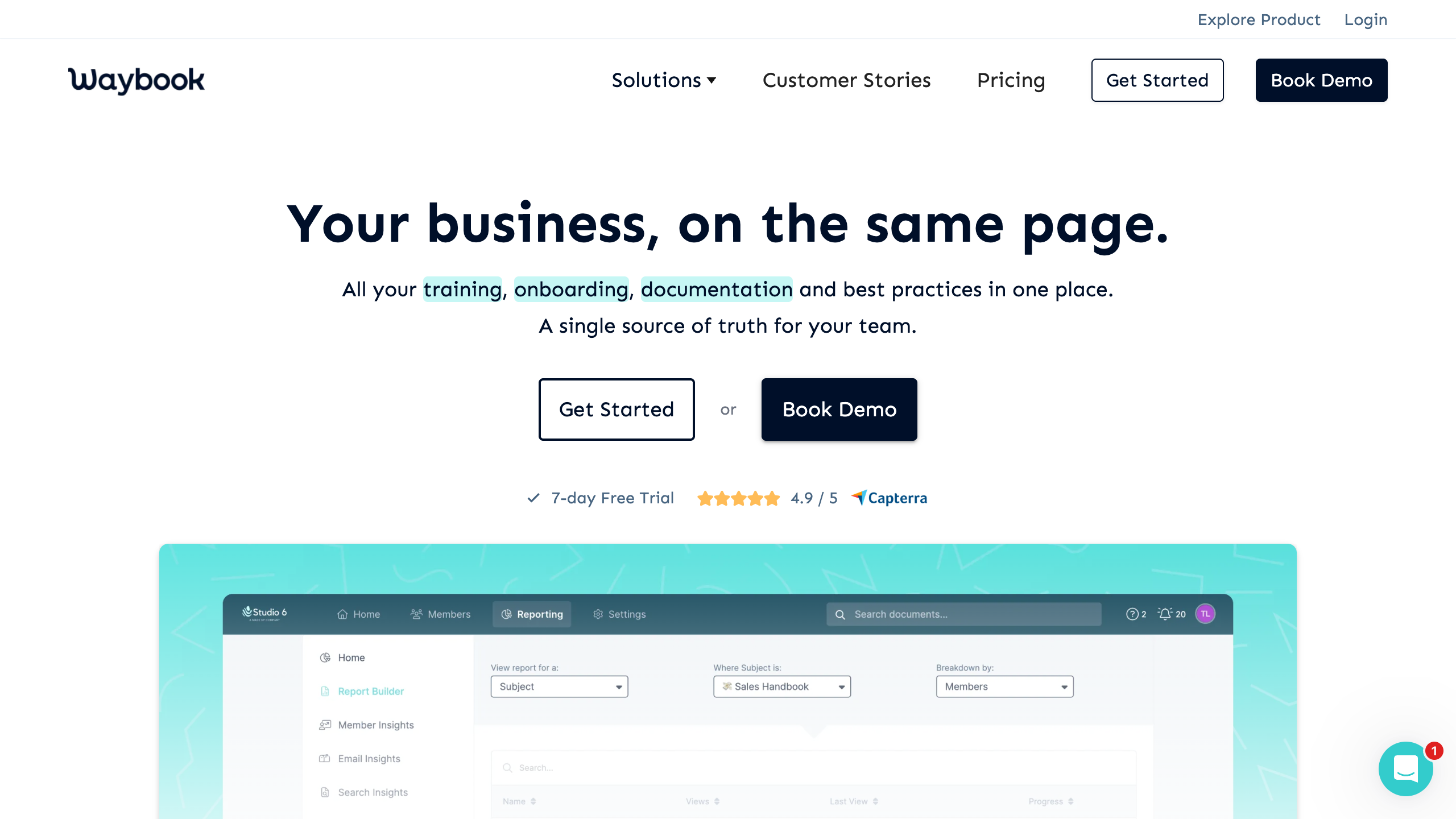
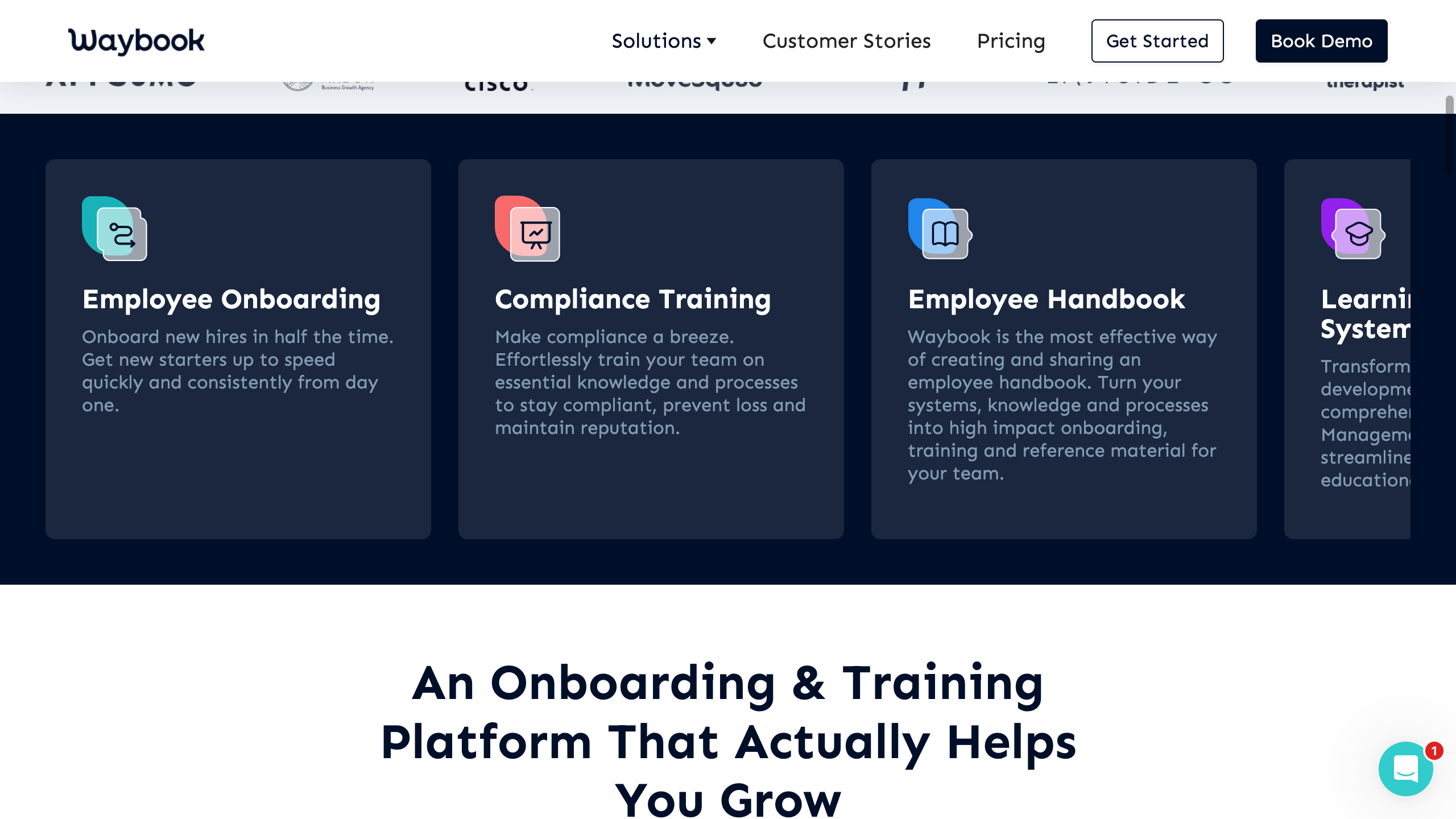
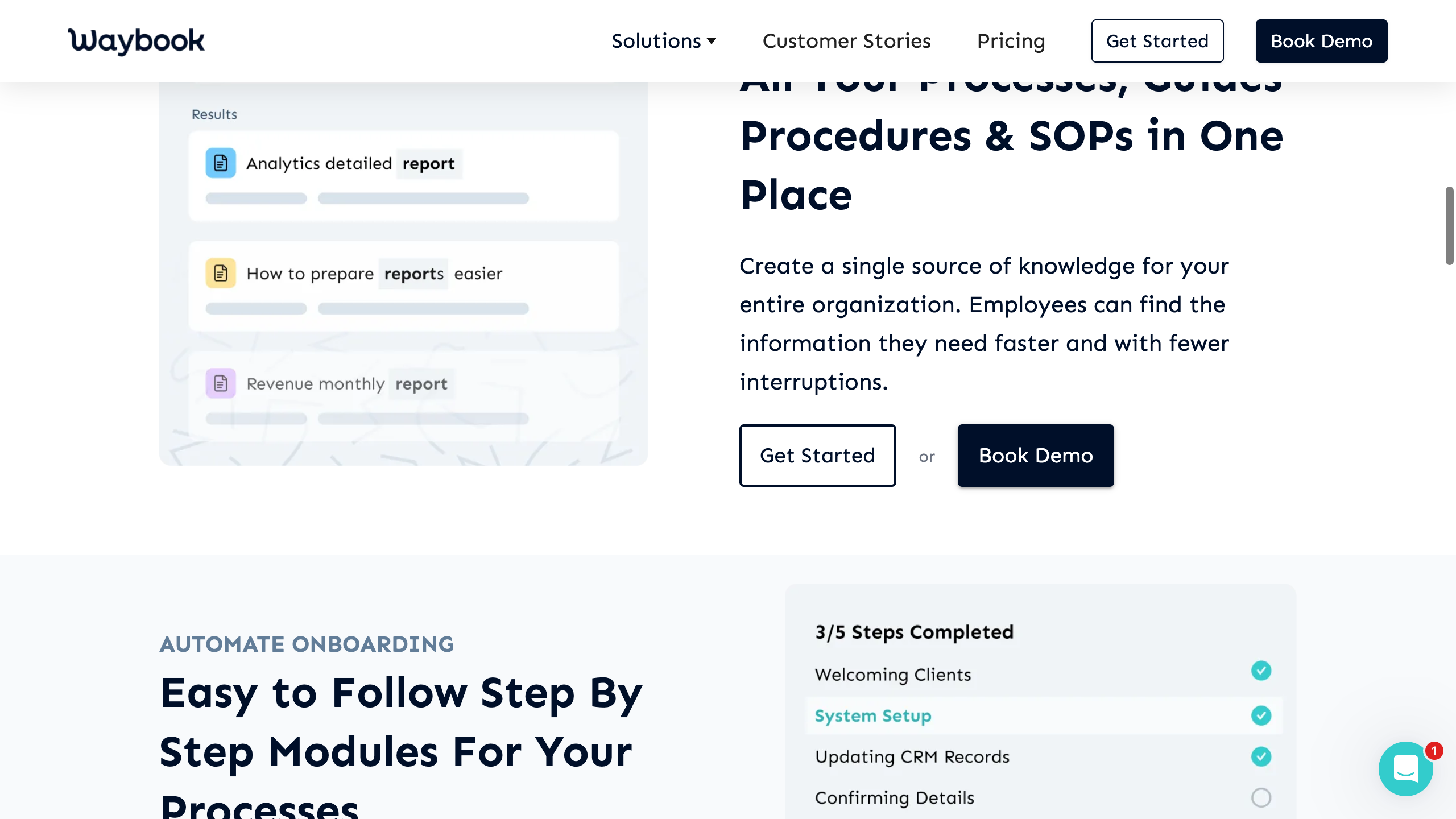
Information Architecture
| Section | Purpose |
|---|---|
| Solutions | SOPs, Employee Onboarding, Compliance Training, Sales Training, Customer Service Training, Corporate Academies, Employee Handbooks, LMS |
| Features | Master feature list + sub-pages for AI Features, AI Content Writer, AI Actions, Custom Reporting |
| Customer Stories | Case studies |
| Pricing | Three-tier plan comparison |
| Blog | Includes competitor comparison pages (/vs/trainual, /vs/whale) |
| Help Center | Hosted at help.waybook.com (Intercom-based) |
Feature Inventory
Knowledge Management
| Feature | Details |
|---|---|
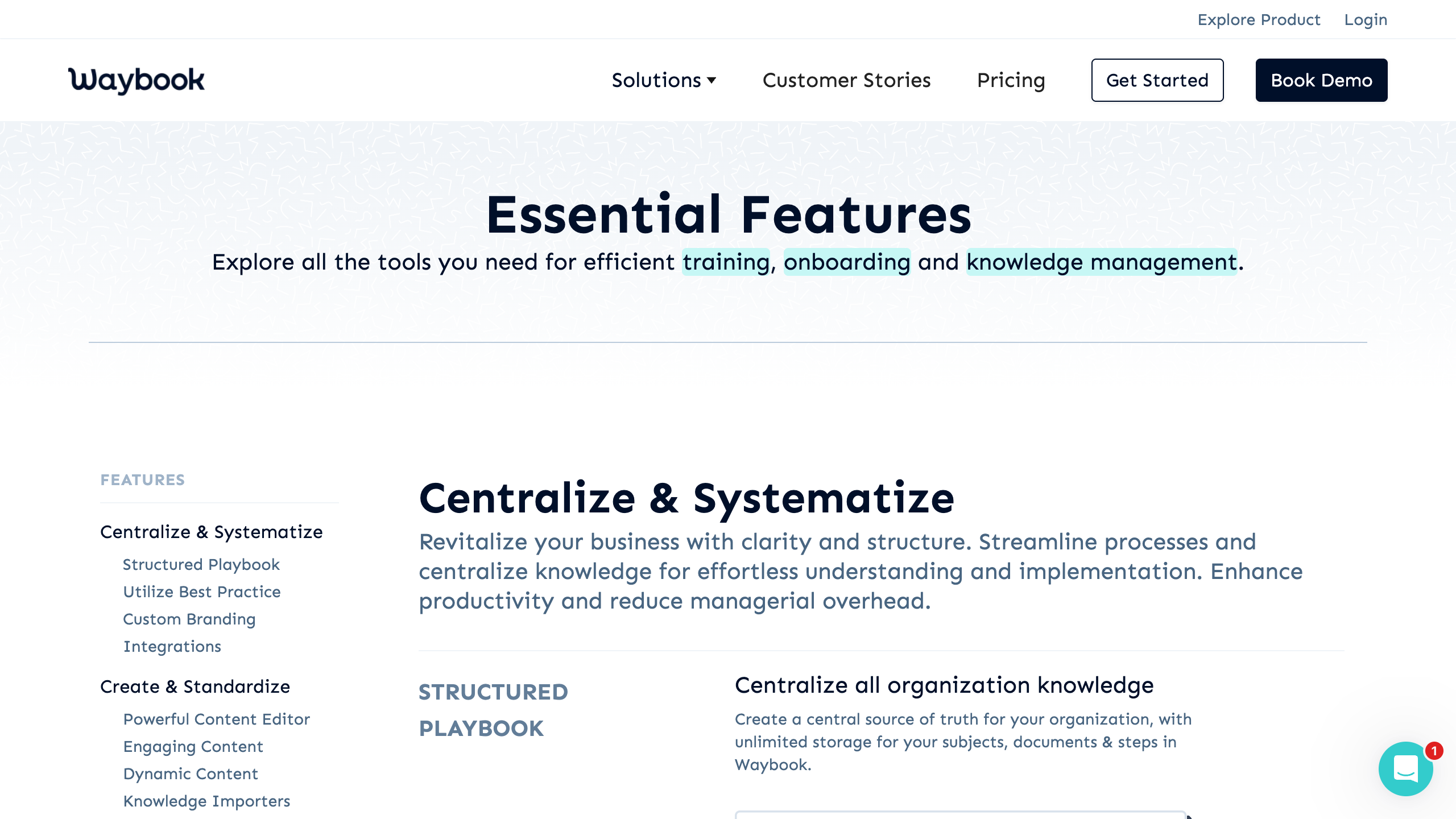
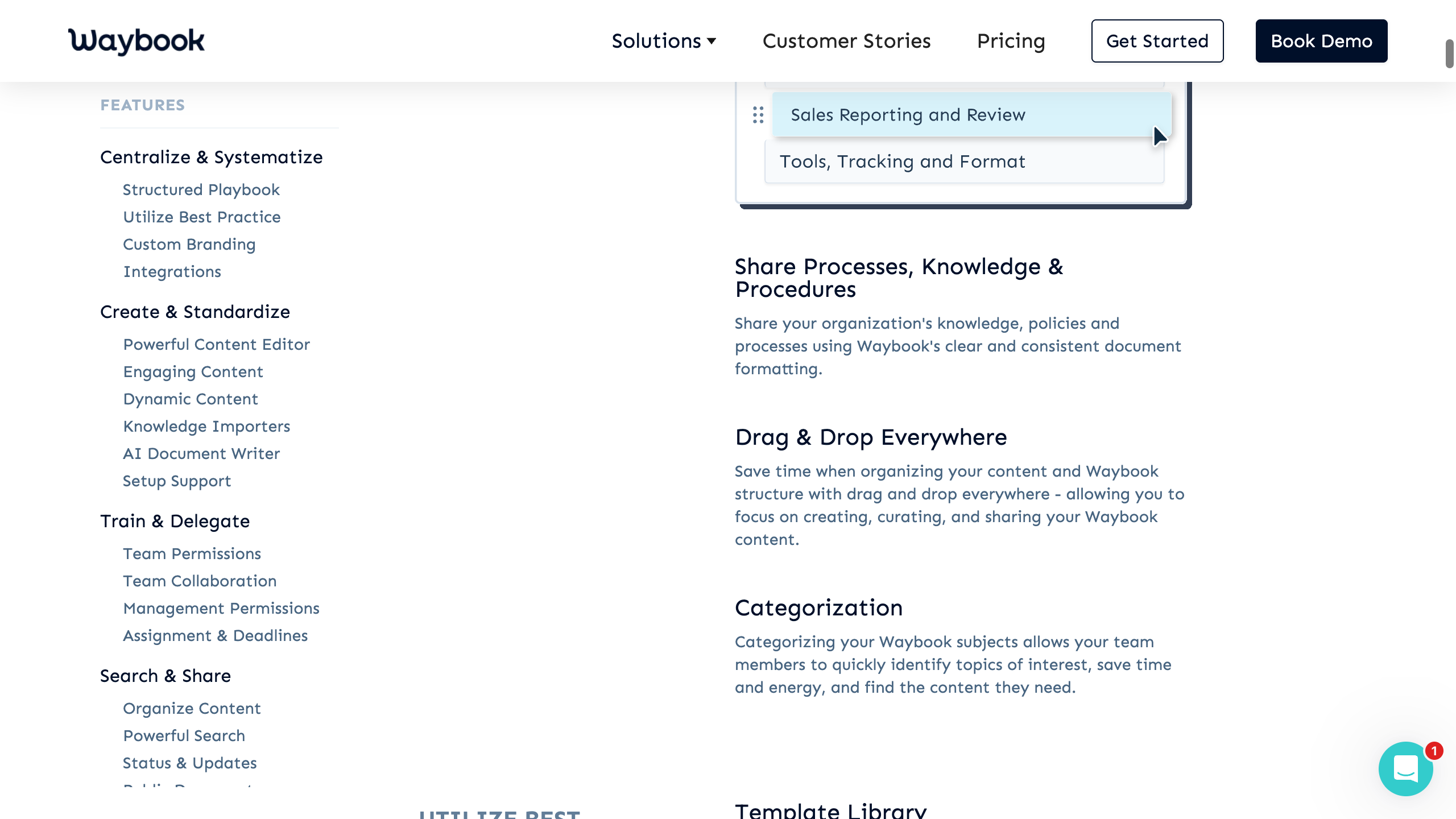
| Structured Playbook | Single source of truth with unlimited storage |
| Categories | Top-level grouping (e.g., by department) |
| Subjects | Groups of related documents within a category |
| Documents | Individual guides, procedures, resources |
| Steps | Actionable content blocks within documents (recommended max 10-12 per doc) |
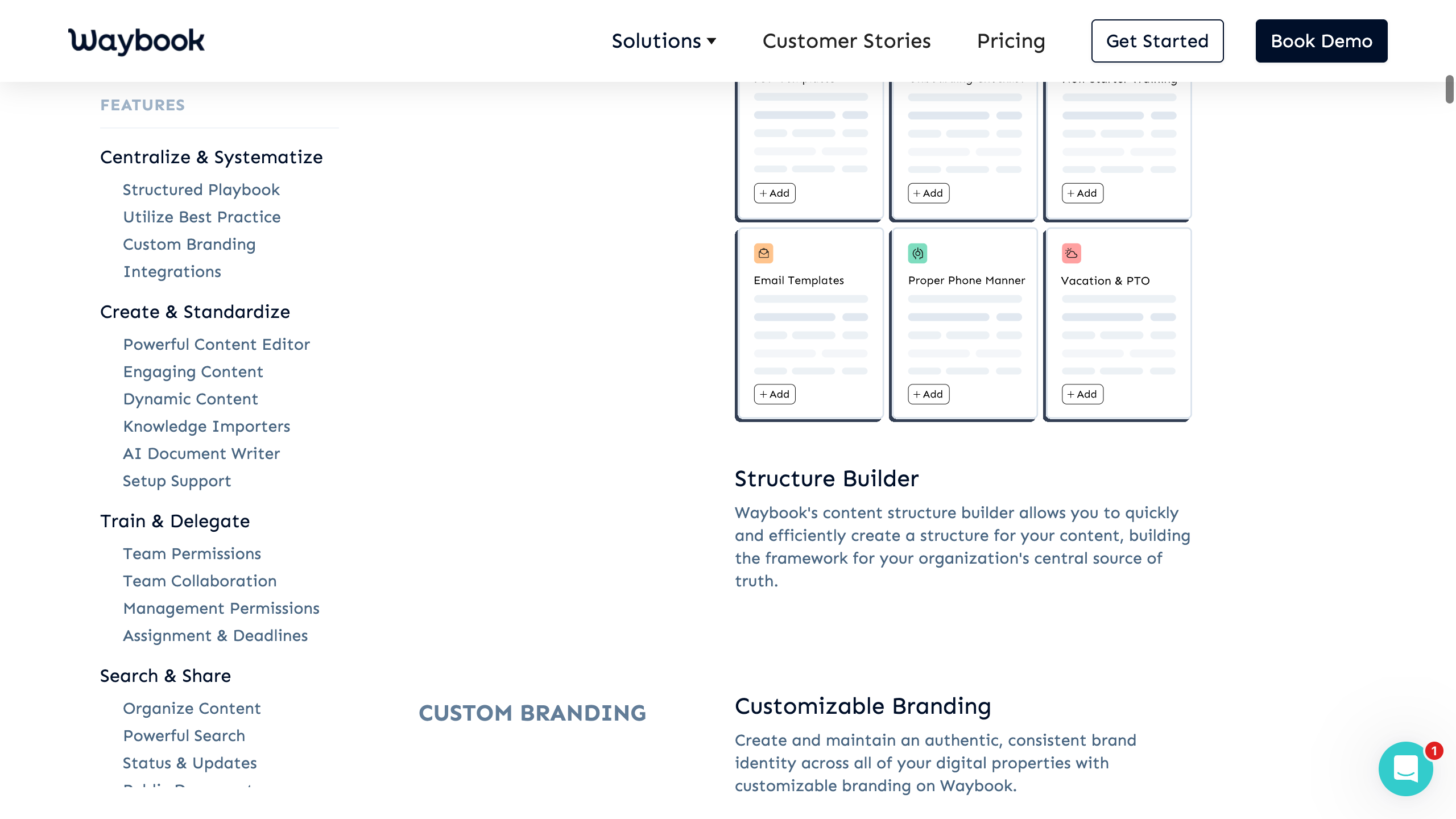
| Template Library | Pre-built templates for policies, onboarding, marketing |
| Structure Builder | AI-assisted framework creation for content |
| Document Verification | Assign reviewers with periodic reset dates |
| Content Review Process | Editors propose changes, admins approve/publish |
| Revision History | Version control with rewind to any previous version |
Content Editing
| Feature | Details |
|---|---|
| Rich Text Editor | Full formatting with slash commands |
| Video Embeds | Embed videos in steps |
| Image + GIF | Full image embedding + Unsplash stock photos + Giphy |
| PDF Embed | Embed existing PDFs within steps |
| Screen Recording | "Waybook Record" — capture processes as video |
| Word Importer | Import .docx files |
AI / Search
| Feature | Details |
|---|---|
| AI Content Writer | Generate SOPs, policies, training docs from prompts |
| AI Document Creator | Create individual documents (policies, procedures) |
| AI Document Suggest | Analyze business context to suggest document structures |
| AI Actions | Expand, summarize, refine existing content |
| AI Test Generation | Auto-generate quizzes from SOP content |
| Waybook Ask | Natural-language Q&A over published documents, permission-aware |
| Waybook MCP | Model Context Protocol server — connect KB to Claude, Cursor, ChatGPT |
Content Hierarchy
Category
├―― Subject
├―― Document
└―― Step (max ~10-12 recommended)
Steps are the atomic content units — each step contains the actual instructional content and is individually completable and tracked. This is a key differentiator: step-level progress tracking.
AI Features
- AI Content Writer — Generate SOPs, policies, training documents from text prompts
- AI Document Suggest — Analyzes content and business context, suggests structures, identifies gaps
- AI Actions — Expand, Summarize, Refine selected text
- AI Test Generation — Auto-generates quizzes from document content
- Waybook Ask — Permission-aware Q&A chatbot with thumbs up/down ratings and analytics
- Waybook MCP — Exposes KB to external AI tools (Claude, Cursor, ChatGPT). Forward-thinking and rare.
Training & Onboarding
- Documents and subjects assigned to team members or groups
- Fixed due dates — hard deadlines for compliance training
- Relative due dates — deadlines based on member join date (e.g., "complete within 7 days of start")
- Knowledge Tests (manual or AI-generated)
- Policy Acceptance — acknowledge/accept policies and terms
- Step-level completion: each step individually marked complete
- Readiness tracking dashboards by role/department
Analytics & Reporting
| Feature | Details |
|---|---|
| Progress Dashboard | Overview of team/individual completion |
| Search Report | Popular searches, failed searches (gap identification) |
| Content Dashboard | Identify incomplete documents |
| Waybook Ask Analytics | Questions asked, response ratings, trends |
| Custom Reporting | Enterprise-only: tailored analytics with Waybook team consultation |
| Audit Log | User action tracking (Pro only) |
Gaps: No webhook support (requested 1.5+ years). No public API. No CSV/Excel export for analytics. Custom reporting requires enterprise plan.
Pricing
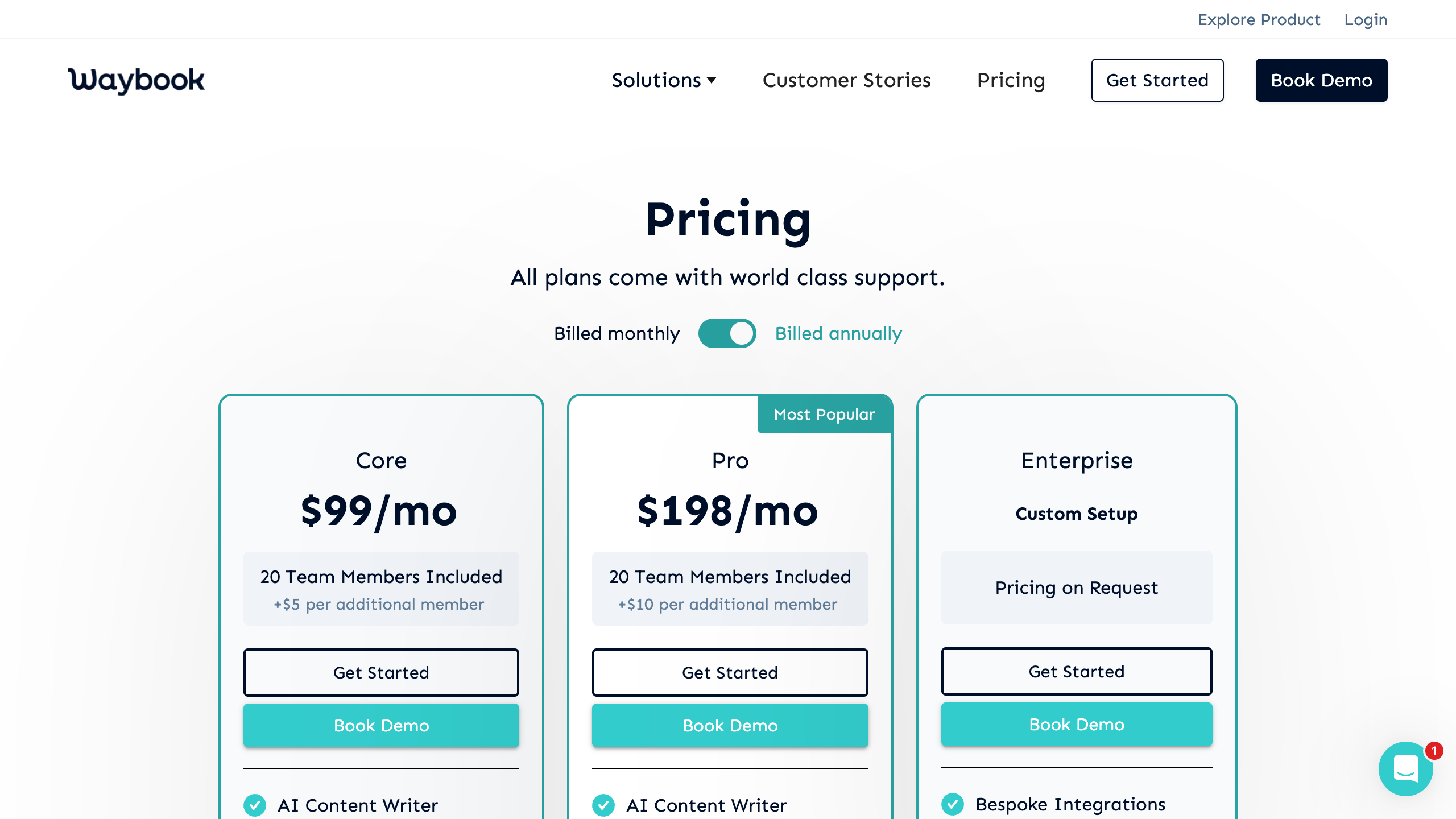
| Core | Pro (Most Popular) | Enterprise | |
|---|---|---|---|
| Monthly | $99/mo | $198/mo | Custom |
| Included members | 20 | 20 | Custom |
| Additional members | $5/mo | $10/mo | Custom |
| Free trial | 7 days | 7 days | Demo required |
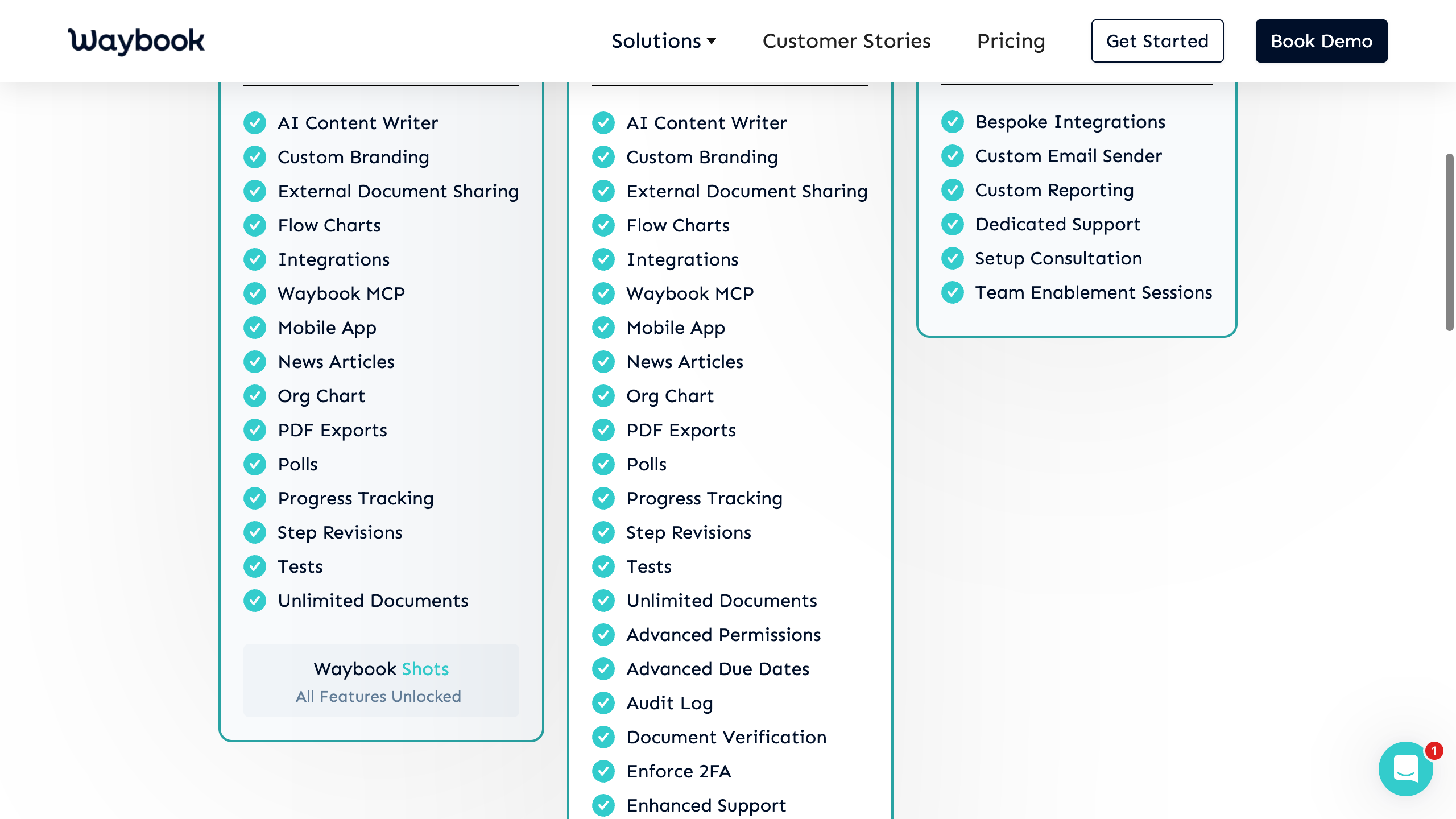
| AI Content Writer | Yes | Yes | Yes |
| Custom Branding | Yes | Yes | Yes |
| Waybook MCP | Yes | Yes | Yes |
| SSO & Directory Sync | — | Yes | Yes |
| Audit Log | — | Yes | Yes |
| Custom Reporting | — | — | Yes |
Per-seat cost at scale: Core ~$5/user, Pro ~$10/user at 50 users.
Strengths & Weaknesses
Strengths
- Step-level granularity — tracking completion at the step level provides superior insight.
- Comprehensive AI suite — AI Writer, Actions, Test Generation, Ask, Document Suggest, and MCP server.
- Relative due dates — automatically creating deadlines based on join date.
- Org chart with dual views — Role Chart (plan) and Member Chart (actual).
- Excellent UX reputation — 4.9/5 ease of use on Capterra.
Weaknesses
- No API or webhooks — requested for 1.5+ years with no delivery.
- No multi-language support — deal-breaker for international BPO operations.
- Limited reporting without enterprise — custom reporting requires enterprise pricing.
- Mobile experience disputed — some reviews claim limited mobile support.
- PDF export quality — poor formatting when exporting to PDF.
Relevance to Arvios
Quick Take
Waybook is the most structurally similar competitor to what Arvios Vault is building. Their Category > Subject > Document > Step hierarchy maps closely to Arvios's planned knowledge base structure. Their API/webhook gap is Arvios's opportunity — Payload CMS inherently has REST + GraphQL APIs.
Guru
"Your AI Source of Truth"
Screenshots
No screenshots captured — Guru requires a demo/login to access the product.
Information Architecture
| Section | URL Path | Purpose |
|---|---|---|
| How Guru Works | /how-guru-works | Product walkthrough |
| All Features | /features | Full feature list |
| Solutions | /solutions | Use cases by team and industry |
| Integrations | /integrations | 100+ connected tools |
| Pricing | /pricing | Custom enterprise pricing |
| Resources | /reference/* | Blog, guides, templates |
In-App Sections: Knowledge Base (Cards, Collections, Folders), Agent Center (AI Knowledge Agents), Search (Agentic Search), Team Hubs (custom landing pages), Announcements, Analytics, Admin.
Feature Inventory
Knowledge Management
| Feature | Description |
|---|---|
| Knowledge Cards | Atomic content units — one topic per card, supports checklists, tables, media |
| Collections & Folders | Hierarchical organization of cards |
| Custom Pages | Team/department landing pages (intranet-style) |
| Collaborative Editor | Rich text, embedded media, version control |
| Shared Drafts | Simultaneous editing with inline comments and change tracking |
| Publishing Workflows | Author controls and required approvals before publish |
| Duplicate Detection | AI identifies redundant content automatically |
AI / Search
| Feature | Description |
|---|---|
| Agentic Search | Retrieves, reasons, and responds — goes beyond keyword matching |
| Knowledge Agents | Role-based AI bots (HR Buddy, Sales Optimizer, Support Superhero, custom) |
| Agent Center | Central hub to manage agents; auto-detects questions, edits answers, fills gaps |
| Content Assist | Generative AI writing assistant |
| Research Mode | Complex questions → guided research plans with cited sources |
| Suggested Answers | Proactive AI answers in Slack/Teams |
| AI-Recommended Experts | Surfaces the right person to answer a question |
| Connected Resources (RAG) | 100+ external sources indexed without requiring migration |
Content Hierarchy
Workspace
├―― Collections (top-level containers)
├―― Folders (optional sub-organization)
└―― Cards (atomic knowledge units — one topic per card)
Guru's atomic "card" approach contrasts with multi-card document models. Cards are standalone knowledge atoms — easy to maintain but harder to create structured, sequential training content.
AI Features
Agentic Search
The flagship AI capability: parses intent, retrieves across all connected sources, reasons across multiple documents, generates synthesized answers with citations, respects permissions in real time.
Knowledge Agents
Pre-configured or custom AI bots scoped to specific domains: HR Buddy, Sales Optimizer, Support Superhero, custom agents. Deployable in Slack, Teams, browser extension, or Guru UI.
Research Mode
Converts complex questions into multi-step research plans. Synthesizes insights across Google Drive, Slack, Jira, Zendesk, etc.
Knowledge Quality Automation
AI monitors for staleness and inconsistencies. Flags cards needing verification. Detects duplicates. Surfaces knowledge gaps from unanswered questions.
AI Training Center
Admins review user questions, adjust incorrect AI answers, feed corrections back into the knowledge layer.
Training & Onboarding
Notable Gap
Guru is notably weak on structured training. No quizzes, assignments, learning paths, completion tracking, or e-signatures. Training is handled indirectly through announcements and verification workflows. The only training-adjacent features are Announcements with read confirmation and SME Verification reminders.
Analytics
- Search analytics — queries, results vs. gaps
- Content engagement — views, unique viewers, card popularity
- Content health — verification status, staleness detection
- Knowledge gap detection — unanswered questions, failed searches
- AI Training Center — review AI answer quality, user feedback
Missing: No per-user learning analytics. No export. No custom dashboards. No predictive ROI.
Pricing
Guru moved to a custom enterprise pricing model in 2025-2026. Positioned as "not just a per-seat tool" — priced on scale, knowledge complexity, AI maturity.
| Source | Reported Price |
|---|---|
| eesel AI (2026 review) | $15/user/month, 10-user minimum |
| Featurebase (2026 review) | $25/user/month, 10-seat minimum |
Includes SOC 2 Type II, HIPAA, GxP, SSO, SCIM, audit trails. "Guru for Good" nonprofit discount available.
Strengths & Weaknesses
Strengths
- AI-first architecture — Agentic Search and Knowledge Agents are genuinely differentiated.
- Verification workflows — automated SME review cycles with staleness tracking.
- In-workflow delivery — browser extension, Slack/Teams bots, ChatGPT/Claude integrations.
- Enterprise governance — SOC 2, HIPAA, DLP, audit trails.
- Knowledge gap detection — AI identifies undocumented topics.
Weaknesses
- No training/assessment layer — cannot replace Trainual or Whale for structured training.
- Migration burden — must migrate content or connect all tools.
- Expensive at scale — $15-25/user/mo per-seat pricing.
- Card-only content model — poor for sequential SOPs or long-form docs.
- Opaque pricing — custom-only, no self-serve tier.
Relevance to Arvios
Key Differentiation
Guru is built for internal knowledge sharing — one company, one workspace. It has no concept of multi-tenant isolation, BPO-specific workflows, structured training, or interview/screening automation. Arvios's advantage is being purpose-built for BPO operations.
| Guru Feature | Arvios Takeaway |
|---|---|
| Knowledge Agents (role-based AI bots) | Deploy client-specific AI agents scoped to each tenant's knowledge |
| Verification workflows | Implement SME review cycles with automated reminders |
| Connected resources (RAG without migration) | Index external sources to reduce adoption friction |
| Knowledge gap detection | Track undocumented topics from search queries |
| In-workflow delivery | Browser extension for BPO agents in client systems |
Scribe
"Create Step-by-Step Guides — Fast"
Screenshots
No screenshots captured — Scribe requires login to access the product.
Information Architecture
| Section | Path | Purpose |
|---|---|---|
| Capture | /capture | Auto-documentation product |
| Optimize | /optimize | Workflow mining & analysis |
| Workflow AI | /workflow-ai | AI agents with workflow context |
| Integrations | /integrations | 50+ integrations + API |
| Solutions | /solutions/* | By function (ops, IT, finance, HR) and use case |
| Gallery | /gallery | Template gallery |
| Pricing | /pricing | Plan comparison |
Feature Inventory
Knowledge Management
- Auto-capture (browser extension): Chrome/Edge records clicks and screenshots
- Auto-capture (desktop app): multi-monitor capture across any application
- Mobile capture: upload images/screenshots from mobile
- Pages: combine multiple Scribes with text, images, video
- Templates: pre-built Page templates (knowledge base, onboarding, SOP)
- Export: PDF, HTML, Markdown
- Multi-language translation (one-click)
AI / Search
| Feature | Description | Tier |
|---|---|---|
| Auto-generated titles | GPT-4 creates unique titles from captured actions | All |
| Auto-generated descriptions | AI writes step descriptions from screenshots/clicks | All |
| Scribe Sidekick | AI chatbot answering how-to questions from captured Scribes | Pro+ |
| Optimize Agents | Conversational AI for querying workflow analytics data | Enterprise |
| Workflow mining | Continuous AI analysis of workflows across approved apps | Enterprise |
| Enterprise Search API | Feed Scribe content into external AI tools | Enterprise |
| MCP Server | Model Context Protocol for AI agent integration | Enterprise |
Content Hierarchy
Workspace (team/org)
├―― Folders (organize by department, project)
├―― Scribes (individual step-by-step guides)
└―― Pages (multi-Scribe documents with rich content)
Key limitation: Scribe does not provide a full knowledge base with search, navigation, and public-facing portal. It is a documentation creation tool, not a knowledge base platform.
AI Features
Scribe's AI focuses on auto-documentation from screen recordings: GPT-4 auto-titles, auto-descriptions, and Smart Steps. The Optimize product extends into workflow mining and process improvement — mining how employees actually work and identifying bottlenecks.
Training & Onboarding
Notable Gap
Scribe has no training management: no assignments, quizzes, learning paths, due dates, or certifications. Completion tracking is passive (view-based only). For structured training, users must pair Scribe with an external LMS.
Content delivery: Share via link/email/embed. Embeddable into LMS platforms (360learning, Articulate, Docebo, TalentLMS), wikis (Confluence, Notion, SharePoint), and help desks (Zendesk, Freshservice).
Analytics
- Document-level: total views, completion rate, daily view counts, viewer list with status
- Team-level (Pro Team+): popular documents, top creators/viewers, daily aggregates
- Optimize (Enterprise): workflow mining, time-spent analysis, bottleneck identification, ROI projections
Pricing
| Basic (Free) | Pro Personal | Pro Team | Enterprise | |
|---|---|---|---|---|
| Price | $0 | $25/user/mo (annual) | $13/seat/mo (annual) | Custom |
| Seats | Unlimited | 1 | 5 minimum | Custom |
| Web capture | Yes | Yes | Yes | Yes |
| Desktop capture | No | Yes | Yes | Yes |
| Insights (analytics) | No | Yes | Yes | Yes |
| Auto-redaction (PII/PHI) | No | No | No | Yes |
| SSO/SAML | No | No | No | Yes |
| Translations | No | No | No | Yes |
Strengths & Weaknesses
Strengths
- Frictionless capture — click record, do the task, get a guide. Core moat.
- Massive adoption — 5M+ users, 94% of Fortune 500.
- AI-generated content quality — GPT-4 produces clean output.
- Broad integration ecosystem — 50+ integrations covering LMS, wiki, help desk.
- Optimize product vision — workflow mining and AI agents for process improvement.
Weaknesses
- Not a knowledge base — creates docs but doesn't organize/search/serve them.
- No training management — no assignments, quizzes, learning paths.
- Screenshot-only capture — misses scrolling, typing, dragging.
- Enterprise-gated compliance — PII redaction, SSO, RBAC all Enterprise-only.
- No multi-tenancy — no client workspace isolation.
Relevance to Arvios
Bottom Line
Scribe is a documentation creation tool, not a knowledge management platform. Arvios Vault occupies a different layer of the stack — it is the knowledge base itself, with multi-tenancy, compliance, and client portals. The two products are more complementary than competitive.